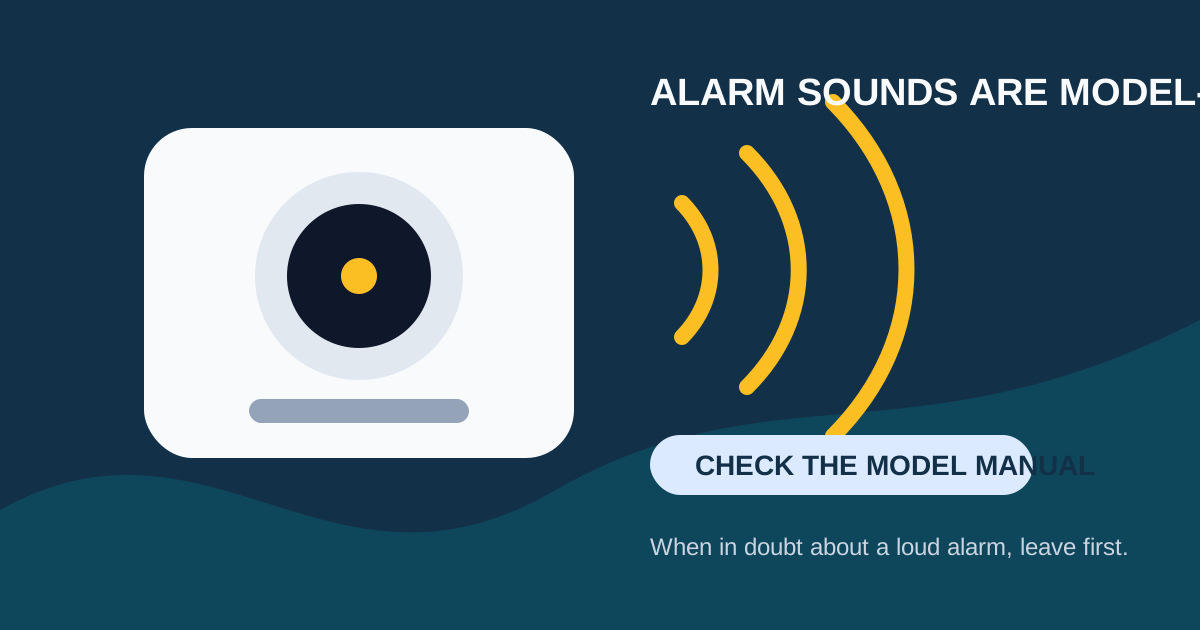
A CO alarm is not a device to decode from memory. Alarm sounds vary by brand and model, and a loud repeating signal can mean a potentially deadly CO hazard. If the alarm is sounding loudly and repeatedly, or you are not certain that it is only a documented maintenance chirp, get everyone outside to fresh air and call 911, your fire department, or local emergency services from outside. Do not re-enter until responders say it is safe. This is the CPSC guidance for a sounding CO alarm.
Once immediate danger is ruled out, use the make and model on the back of the alarm to find its manufacturer manual. That is the reliable way to identify its exact chirp, light, display, and replacement signals.
The Safe Way to Sort Out a Sound
| What You Notice | Safe First Response |
|---|---|
| Loud, repeating alarm; four-beep cycles on many CO models | Treat it as a possible CO emergency: go outside, call emergency services, and stay out until cleared. |
| A short chirp or beep at a regular interval | Check the exact model manual. It can indicate low battery, end of life, malfunction, or an error code. Do not assume the cause from timing alone. |
| A display message, flashing light, or unfamiliar sound | Read the manual or contact the manufacturer with the model number. If there is any chance it is an alarm event, leave first and seek emergency guidance. |
For a focused explanation of a repeating four-beep pattern, see CO Detector 4 Beeps: Treat a Repeating Alarm as an Emergency.
CO Alarm Patterns by Manufacturer
Patterns vary across brands. Here is what verified manufacturer documentation describes:
First Alert and BRK Models
According to First Alert’s specification sheet for the SC5 Smart Smoke & Carbon Monoxide Alarm:
- CO alarm: 4 beeps with a flashing red LED
- Low battery: 1 chirp per minute (replace battery)
- Malfunction: 3 chirps per minute (replace alarm)
- End of life: 5 chirps per minute (replace alarm)
These patterns are common across many First Alert and BRK combination smoke/CO models, but always verify against your specific model’s manual.
Kidde Models
Kidde’s CO alarm support documentation describes these patterns for its CO and combination detectors:
- CO alarm: 4 short beeps, followed by 5 seconds of silence, then repeating
- Low battery: A chirp every 30 seconds to 1 minute (accompanied by a red LED flash on most models)
- End of life: A chirp every 30 seconds that continues after a battery replacement
- Malfunction/error: Varies by model — consult the manual
Nest Protect
Nest Protect uses voice alerts and colored LED signals rather than specific beep counts:
- CO alarm: Loud horn with voice announcement (“Emergency, carbon monoxide detected in [room name]”)
- Heads-Up warning: Preliminary voice warning before the full alarm
- Low battery: Chirp every 60 seconds, announced in the app
- End of life: Chirp every 60 seconds with voice announcement
Why the Manual Matters
The patterns above are general guidelines based on current manufacturer documentation. Models change over time, older units may use different patterns, and some models may have been updated with firmware changes. Always verify against the manual for your specific model number.
After a Possible CO Event
Carbon monoxide is colorless and odorless. Symptoms of CO exposure include:
- Headache (often the first sign)
- Dizziness
- Weakness or fatigue
- Nausea or vomiting
- Shortness of breath
- Confusion or disorientation
- Loss of consciousness
Tell emergency responders if anyone has symptoms. If a fuel-burning appliance may be involved, do not operate it again until qualified personnel have inspected it.
Common CO sources in homes include:
- Gas, oil, or wood furnaces
- Gas stoves and ovens
- Gas water heaters
- Fireplaces and wood stoves
- Portable generators (especially when used indoors or near windows)
- Charcoal grills (never use indoors)
- Vehicles in attached garages
The CPSC recommends CO alarms on every level of the home and outside sleeping areas, installed according to manufacturer directions. Learn more about where to place CO detectors and when a CO detector should be replaced.
When It Is Appropriate to Troubleshoot
Troubleshoot only after you have confirmed, using the exact manual and the circumstances, that the unit is not issuing a CO alarm. Useful checks include:
Replace the battery. Use the exact battery type specified by the manufacturer. For most CO detectors, this is a 9V battery or AA lithium batteries. Using the wrong battery type can cause false alerts.
Check the manufacture date. If the unit is past its stated replacement age (typically 7–10 years), the chirping is likely an end-of-life signal. Replace the unit.
Clean the detector. Dust and debris in the sensor chamber can cause false alarms or trouble signals. Use compressed air to clean the vents.
Check for environmental factors. High humidity, extreme temperatures, or nearby chemicals can affect CO sensors. Ensure the detector is installed according to the manufacturer’s placement guidelines.
Document the error. If the detector has a display or indicator light, note what it shows before resetting. This information helps the manufacturer diagnose the issue if you need to contact support.
Do not remove the battery or unplug an alarming unit to make it quiet. A test button checks circuitry, not the accuracy of the CO sensor. Follow product instructions for testing, cleaning, and replacement.
FAQ
Is a chirp the same as a CO alarm?
No. A short chirp can be a maintenance or fault signal, while a loud repeating alarm may signal CO. The exact meanings are model-specific, so check the manual. If there is doubt about an alarm event, leave and seek emergency guidance.
Can I check for the CO source before leaving?
No. The CPSC says not to try to find the CO source when the alarm sounds. Move outside first and call emergency services. Responders have the equipment to identify the source safely.
My CO detector keeps beeping after I replaced the battery. What should I do?
If a fresh battery does not stop the chirping, the unit is likely signaling end of life or a sensor malfunction. Check the manufacture date on the back. If the unit is past its certified lifespan, replace it. Do not continue using a detector that chirps after a battery replacement without confirming the cause.
How can I tell if it’s a CO alarm or just a low battery?
On most combination smoke/CO detectors, a CO alarm is four loud repeating beeps, while a low battery is a single short chirp every 30–60 seconds. The loudness and repetition pattern are the key differences: an alarm is loud and persistent; a chirp is brief and periodic. When in doubt, treat it as an emergency.
What does it mean if my CO detector shows “ERR” or “LBN” on the display?
Error codes vary by manufacturer. “ERR” typically indicates a malfunction, while “LBN” or “L6” often indicates end of life on Kidde models. Check your model’s manual for the exact meaning of any display code, and replace the unit if the code indicates end of life or a non-serviceable fault.
Should I replace all my CO detectors at the same time?
Not necessarily. Each detector has its own manufacture date. However, if all your detectors are the same age (e.g., you installed them all when you moved in), they may expire around the same time. Check each one individually and replace each as it approaches its stated replacement date.
Sources
- U.S. Consumer Product Safety Commission: Carbon Monoxide Questions and Answers
- Kidde: Why Is My Carbon Monoxide Alarm Beeping or Chirping?
- First Alert SC5 Specification Sheet
- Google Support: Carbon Monoxide Safety