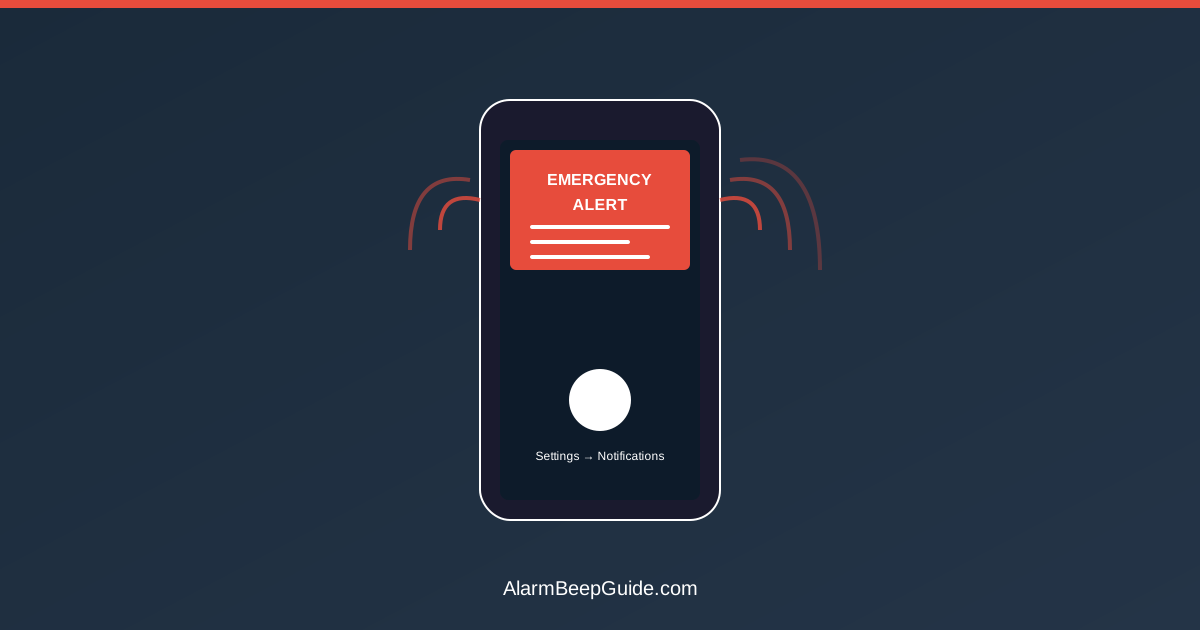
Your phone’s emergency alert system (Wireless Emergency Alerts or WEA) can blast loud tones at any time for various emergencies. Here’s what each alert type means, when you can silence them, and why you should keep most enabled.
The Three Alert Levels (And Which You Can Disable)
Presidential Alerts
- Sound: Loud alarm tone similar to NOAA weather radio
- Cannot be disabled: Required by law to receive
- Purpose: National emergencies only (extremely rare)
- Last used: October 2018 national test (first ever)
Extreme Alerts
- Sound: Same loud alarm tone
- Can be disabled: But you shouldn’t
- Includes: Extreme weather threats, imminent missile threats, local area emergencies
- Examples: Tornado warnings, flash flood emergencies, civil emergencies
Amber Alerts
- Sound: Same alarm tone unless you’ve modified settings
- Can be disabled: Yes, separately from other alerts
- Purpose: Child abduction notifications
- Controversy: People disable these most often due to frequency
What Each Alert Type Sounds Like
The Standard WEA Tone: A loud, attention-grabbing alarm similar to the Emergency Alert System (EAS) broadcast tone—sharp, attention-grabbing, hard to ignore.
Duration: 2-3 seconds for the tone, followed by vibration
Volume: Plays at maximum device volume regardless of your volume settings. Your phone on silent will still alarm loudly.
Designed This Way: The tone is intentionally jarring to wake you from sleep during nighttime emergencies.
Extreme Alert Categories Explained
Extreme Weather Warnings:
- Tornado warnings
- Flash flood emergencies
- Dust storm warnings
- Extreme wind warnings
- Hurricane warnings
These are NOT watches: You won’t get alerts for “tornado watch” or “flood watch.” Only imminent, serious situations trigger phone alerts.
Imminent Threat Alerts:
- Active shooter situations
- Chemical spills requiring evacuation
- Dam failures
- Civil unrest requiring shelter-in-place
- Tsunami warnings
Public Safety Messages:
- Evacuation orders
- Shelter-in-place orders
- Boil water notices (in some jurisdictions)
- Missing endangered persons (Silver Alerts in some states)
Why Your Phone Got an Alert (And Your Partner’s Didn’t)
Cell Tower Targeting: WEA alerts broadcast from specific cell towers covering the affected area. Your phone and your partner’s phone may have been connected to different towers.
Carrier Differences: Some carriers deliver alerts slightly faster than others.
Phone Model and OS Version: Older phones may not support all alert types or may experience delays.
Settings Differences: One phone may have alerts disabled while the other doesn’t.
Geographic Precision: WEA uses “cell tower coverage areas,” not GPS. If you’re on the edge of a warning area, one phone might get the alert while another doesn’t.
Managing Alert Fatigue Without Compromising Safety
The Problem: Amber Alerts at 3 AM for abductions 100 miles away cause people to disable ALL alerts, including important weather warnings.
The Smart Solution: Disable only what you can afford to miss.
Recommended Settings:
- Presidential Alerts: Cannot disable (and shouldn’t want to)
- Extreme Alerts: Keep enabled (these save lives)
- Amber Alerts: Your choice, but consider:
- Keep enabled if you have regular travel routes
- Keep enabled if you frequently drive
- Disable if you rarely leave home and find them disruptive
Why Keep Extreme Alerts: These are rare, geographically targeted, and serious. You might get 2-5 per year. The inconvenience is minimal compared to the important benefit.
How to Manage WEA Settings (iPhone)
iPhone (iOS):
- Open Settings
- Tap Notifications
- Scroll to bottom: “Government Alerts”
- Toggle individual alert types on/off
- AMBER Alerts: Can disable
- Emergency Alerts: Can disable (but don’t)
- Public Safety Alerts: Can disable (but don’t)
Note: “Emergency Alerts” includes extreme weather and imminent threats. Disabling this is strongly discouraged.
How to Manage WEA Settings (Android)
Android (varies by manufacturer):
- Open Settings
- Tap “Apps & Notifications” or “Notifications”
- Tap “Advanced”
- Tap “Wireless Emergency Alerts” or “Emergency Alerts”
- Toggle individual alert types
- Extreme Alerts: Can disable (but don’t)
- Severe Alerts: Can disable (consider keeping on)
- AMBER Alerts: Can disable
- Test Alerts: Can disable (these are just tests)
Samsung Phones:
- Open Messages app
- Tap three dots (menu)
- Tap Settings
- Tap Emergency alert settings
- Toggle alerts on/off
Silencing Alerts (Wrong Approach)
What People Try:
- Putting phone in Do Not Disturb mode
- Lowering volume to zero
- Using third-party silencing apps
Why It Doesn’t Work: WEA alerts bypass all silencing mechanisms intentionally. They play at full volume regardless of settings.
The Only Way to Silence: Disable the alert type entirely in settings (not recommended for extreme alerts).
Test Alerts: Should You Disable Them?
What They Are: Periodic test messages to verify the alert system works.
How Often: 1-2 times per year typically.
Our Recommendation: Keep test alerts enabled. Here’s why:
- Verifies your phone receives alerts (critical safety check)
- Reminds you the system exists
- Very infrequent (minimal annoyance)
If You Disable Tests: Manually verify your alert settings are correct annually.
What to Do When You Receive an Alert
Extreme Weather Alert:
- Read the full message (swipe notification or tap)
- Identify the threat type and affected area
- Take immediate protective action if in the area
- Check local news/weather for updates
- Don’t assume it’s a false alarm
Amber Alert:
- Read description of child, suspect, vehicle
- If driving, stay alert for described vehicle
- Call 911 if you see anything matching the description
- Don’t call to complain about the alert
Public Safety Alert:
- Read the specific instructions
- Follow evacuation or shelter-in-place orders
- Monitor local emergency management channels
- Help neighbors who may not have received the alert
False Alarms and Errors
Rare But They Happen:
- January 2018: Hawaii missile alert (human error)
- October 2019: Multiple states received erroneous tsunami warning test
- Various local false alarms due to human error
What to Do:
- Take the alert seriously initially
- Check official sources (local emergency management, NWS, news)
- Wait for official all-clear
- Don’t assume it’s false without verification
Why Errors Happen: Human error during testing or equipment malfunction. Systems are getting better, but nothing is 100% foolproof.
Understanding Alert Timing
Why Alerts Arrive at Odd Times: Emergencies don’t follow a schedule. Tornadoes form at night. Abductions happen when they happen.
Delayed Alerts: Sometimes alerts arrive after the immediate danger has passed because:
- The threat moved through your area quickly
- Network congestion delayed delivery
- Your phone was off or in airplane mode when alert was sent
If You Get a “Late” Alert: Check if the threat is still active. Weather warnings can last 30-60 minutes.
Special Alert Types by Region
Coastal Areas:
- Tsunami warnings
- Storm surge warnings
- Hurricane evacuation orders
Earthquake-Prone Regions (CA, OR, WA, AK):
- ShakeAlert: Seconds of warning before shaking starts
- Delivered through WEA system
- Extremely time-sensitive
Flood-Prone Areas:
- Flash flood emergencies (not regular flood warnings)
- Dam failure warnings
- Levee breach notifications
Wildfire Regions:
- Evacuation orders
- Shelter-in-place for smoke
- Road closure emergency notifications
Why the Alert Sound Is So Jarring
Intentional Design: The alarm tone is based on research into sounds that:
- Wake people from deep sleep
- Can be heard over background noise
- Trigger immediate attention response
- Are distinct from normal phone sounds
Can’t Change the Sound: The tone is standardized and cannot be customized. This ensures everyone recognizes emergency alerts right away.
Accessibility: The loud volume helps people who are:
- Hard of hearing
- Sleeping
- In noisy environments
- Have phone in another room
Alerts and Battery Life
Do Alerts Drain Battery?: Negligible impact. The system runs in the background efficiently.
Dead Phone = No Alerts: Keep your phone charged, especially during severe weather events. A dead phone can’t receive important alerts.
Power Outage Strategy:
- Charge phone before predicted severe weather
- Use battery banks to maintain charge
- Consider a battery-powered NOAA weather radio as backup. See NOAA Weather Radio Alert Setup: SAME Codes and Smart Settings.
Legal Requirements and Participation
Carrier Participation: All major US carriers are required to participate in WEA.
Mandatory Alerts: Presidential Alerts cannot be disabled by law.
Voluntary Opt-Out: Other alert types can be disabled, but carriers and government strongly encourage keeping them enabled.
No Charge: Receiving WEA alerts is free. No text message charges apply.
The Bottom Line
Emergency alerts on your phone are loud and attention-grabbing, and they are designed to be noticeable. Keep Extreme Alerts enabled if you can—they are rare, targeted, and important.
If Amber Alerts feel too frequent, disable those specifically. But consider keeping weather and emergency warnings enabled. Occasional alerts are easier to manage than missing an overnight warning.
Check your settings when you have a moment. Verify Extreme Alerts are enabled, and consider keeping test alerts on. Keep your phone charged during severe weather so you can receive alerts.
The alarm sound is designed to stand out. If you can, leave it enabled.
Related Articles
- NOAA Weather Radio Alerts Setup Guide — dedicated weather radio setup
- Security System Beeping Codes — home security panel alerts