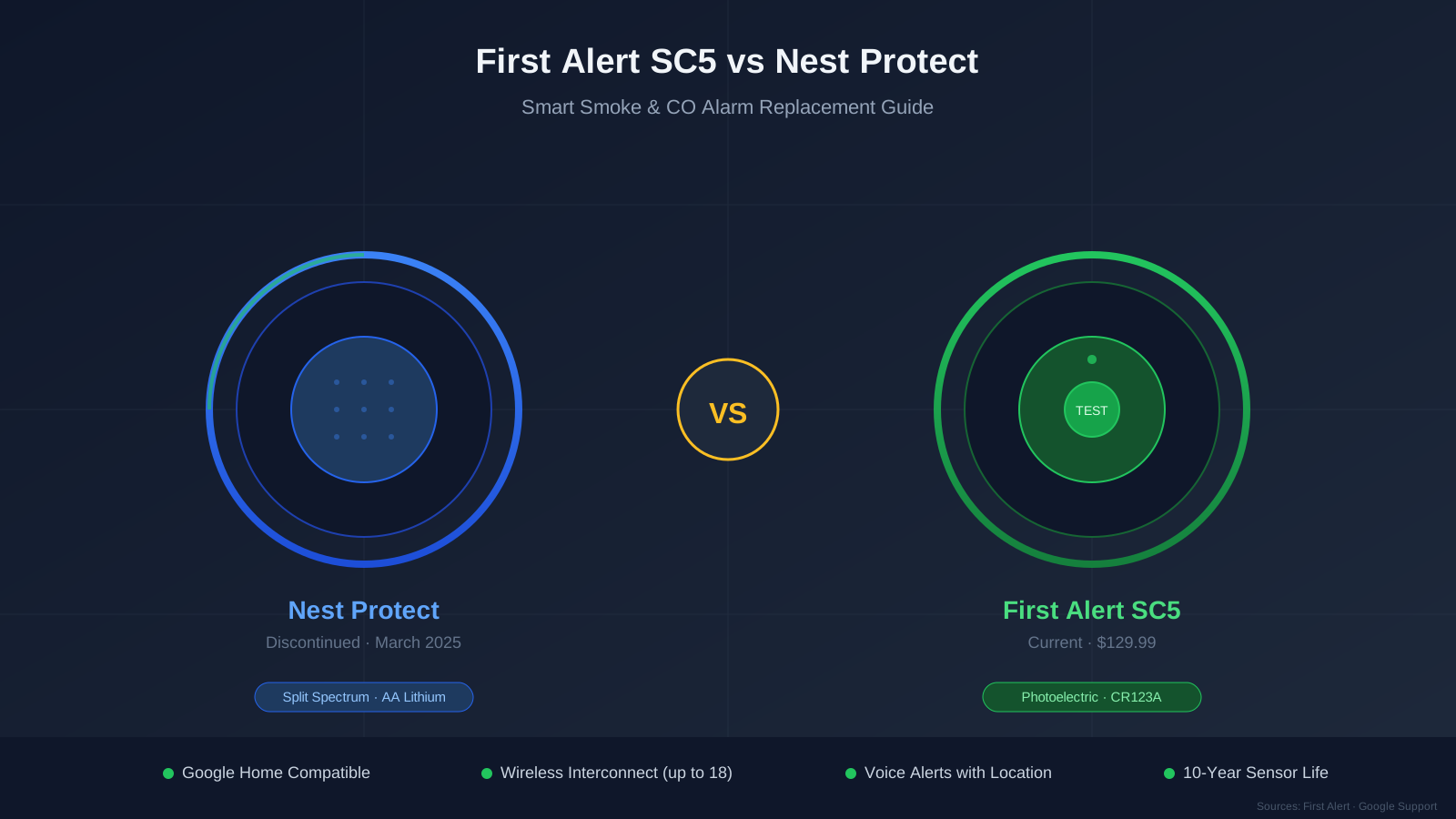
This guide compares the two alarms using verified specifications from First Alert’s product documentation and Google’s support pages, so you can decide whether the SC5 is the right replacement for your home.
Quick Comparison
| Feature | First Alert SC5 (Battery) | Nest Protect 2nd Gen (Battery) |
|---|---|---|
| Status | Currently manufactured | Discontinued (March 2025) |
| Sensors | Photoelectric smoke + Electrochemical CO | Split Spectrum smoke + Electrochemical CO |
| Smart Platform | Google Home app + First Alert app | Google Home app + Nest app |
| Battery | 6× 3V CR123A lithium (replaceable) | 6× AA lithium (replaceable) |
| Battery Life | ~3–5 years (per First Alert) | ~5 years (battery) / backup for hardwired |
| Sensor Life | 10 years | 10 years |
| Voice Alerts | Yes — speaks location and hazard type | Yes — speaks location and hazard type |
| Wireless Interconnect | Up to 18 SC5 + Nest Protect units | Up to 18 Nest Protect units |
| Dimensions | 5.75″ × 5.75″ × 1.6″ | 5.3″ × 5.3″ × 2.1″ |
| Price | $129.99 (First Alert website) | No longer sold new |
| Warranty | 10-year limited | Was 2-year limited (expired for most) |
What Is the First Alert SC5?
The First Alert SC5 is a smart smoke and carbon monoxide alarm available in both battery-powered (model FSMCO600NVCL1) and hardwired (model FSMCO600NVACCL1) versions. First Alert developed the SC5 in partnership with Google to serve as a replacement for the discontinued Nest Protect.
According to Google’s own support documentation:
“We partnered with First Alert, a trusted brand in fire safety, to offer the First Alert Smart Smoke & Carbon Monoxide Alarm as a compatible replacement for your 2nd gen Nest Protect when used with the Google Home app.”
The SC5 is available on FirstAlert.com and at select retailers including Lowe’s and Amazon.
Six CR123A batteries, voice alerts, wireless interconnect up to 18 units, and Google Home integration — the direct Nest Protect successor.
Check price on Amazon Price & availability shown on Amazon.com — we may earn a commission.Key Specifications (Verified)
These specifications come from First Alert’s official product page and the SC5 specification sheet:
- Smoke sensor: Photoelectric
- CO sensor: Electrochemical
- Battery (battery version): Six 3V CR123A lithium batteries (replaceable)
- Expected battery life: 3–5 years (per First Alert; use only CR123A lithium — do not use rechargeable)
- Alarm horn: 85 dB at 10 feet
- Operating temperature: 40°F–100°F (4.4°C–38°C)
- Operating humidity: 20%–95% relative humidity
- Wireless interconnect: Up to 18 units (SC5 and Nest Protect mixed)
- Dimensions: 5.75″ L × 5.75″ W × 1.6″ H
- Weight: 15.9 oz (449 g)
- Warranty: 10-year limited
How the SC5 Replaces the Nest Protect
Mounting Compatibility
First Alert confirms that the SC5 is designed to work with existing Nest Protect installations. The SC5 interconnects wirelessly with both other SC5 units and existing Nest Protect units, so you can replace expired Nest Protects one at a time without losing whole-home interconnection.
This means if you have four Nest Protects and only the oldest one has expired, you can install an SC5 in that location and it will interconnect with the remaining three Nest Protects through the Google Home app.
Google Home Integration
Both the Nest Protect and the SC5 work with the Google Home app. However, the SC5 also requires the First Alert app for initial setup and detailed device management. Once set up, you can:
- Receive push notifications for smoke or CO events on your phone
- Test the alarm remotely
- Check battery and sensor status
- View alarm history
- Receive low-battery and end-of-life warnings
Voice Alerts
Like the Nest Protect, the SC5 speaks voice warnings when it detects smoke or carbon monoxide. It announces the hazard type and a pre-programmed location name (e.g., “Warning, Evacuate, Smoke in Basement”). This voice warning gives you time to respond before the full 85 dB alarm sounds.
What’s Different From the Nest Protect
Sensor Technology
The Nest Protect 2nd generation used a “Split Spectrum” sensor that combined two wavelengths of light (blue and violet LEDs) to detect both fast-flaming and slow-smoldering fires. The SC5 uses a single photoelectric smoke sensor, which is optimized for smoldering fires — the most common type of fatal home fire.
Both sensors meet UL safety standards for residential smoke alarms. The practical difference is that the Nest Protect’s dual-sensor approach may detect flaming fires marginally faster, while the SC5’s photoelectric sensor is less prone to nuisance alarms from cooking.
Battery System
This is the most significant day-to-day difference for owners:
- Nest Protect (battery): Uses six AA lithium batteries. Google recommends Energizer Ultimate Lithium AA batteries.
- SC5 (battery): Uses six 3V CR123A lithium batteries. First Alert states an expected battery life of 3–5 years.
CR123A batteries are more expensive than AA batteries but provide higher voltage per cell. They are commonly available at hardware stores and online retailers. First Alert warns not to use rechargeable batteries in the SC5.
Path Light and Nightly Promise
The Nest Protect had two comfort features the SC5 does not replicate:
- Path light: The Nest Protect’s LED ring would glow softly when you walked beneath it at night, acting as a hallway or staircase nightlight.
- Nightly Promise: When you turned off the lights at night, the Nest Protect gave a brief green glow to confirm everything was working. A yellow glow meant attention was needed.
The SC5 has a green LED power indicator that flashes once per minute to confirm it is receiving power, but it does not have the ambient path light or Nightly Promise feature.
App Ecosystem
The Nest Protect worked natively within the Google Home (and formerly Nest) app. The SC5 requires the First Alert app for setup and management, but also integrates with the Google Home app for notifications and status checks. You will need a First Alert account in addition to your Google account.
Discontinuation and Support
Nest Protect is discontinued. While existing units continue to work until their 10-year expiration, Google will not release firmware updates or new features. The SC5 is an actively manufactured and supported product, meaning it receives app updates and manufacturer support. The 10-year sensor life applies to every CO detector on the market — including the SC5 itself. See How Long Do Smoke Detectors Last? for the certification basis behind that limit.
SC5 Alarm Patterns
First Alert’s specification sheet defines these alarm patterns for the SC5:
| Condition | Sound | LED |
|---|---|---|
| Smoke alarm | 3 beeps | Flashes red |
| CO alarm | 4 beeps | Flashes red |
| Low battery | 1 chirp per minute | — (replace battery) |
| Malfunction | 3 chirps per minute | — (replace alarm) |
| End of life | 5 chirps per minute | — (replace alarm) |
These patterns are defined in the SC5 manual and are specific to the First Alert SC5. If you have mixed SC5 and Nest Protect units, each device follows its own manufacturer’s alarm patterns — always check the app to identify which unit is alerting and why.
For general guidance on interpreting alarm beeps across brands, see our chirp and beep codes guide.
Installation: Swapping a Nest Protect for an SC5
If you are replacing an expired Nest Protect with an SC5, Google’s support documentation recommends these steps:
For Battery-Powered Nest Protects
- Remove the Nest Protect from the Google Home app before physically removing it (Settings → Remove device).
- Twist the Nest Protect counterclockwise to detach it from its mounting plate.
- Remove the old mounting plate by unscrewing it.
- Install the SC5 mounting bracket in the same location using the included hardware.
- Insert six CR123A lithium batteries into the SC5.
- Mount the SC5 on its bracket.
- Open the First Alert app and follow the pairing instructions to connect the SC5 to your Wi-Fi network.
- Link to Google Home through the First Alert app.
- Press the test button to verify the alarm is functioning.
For Hardwired Nest Protects
- Turn off the circuit breaker that powers the smoke alarm circuit.
- Follow steps 1–3 above to remove the Nest Protect and its mounting plate.
- Disconnect the wiring harness from the back of the Nest Protect.
- Connect the wiring harness to the SC5 hardwired model (FSMCO600NVACCL1).
- Install the SC5 mounting bracket and mount the unit.
- Restore power at the breaker.
- Complete the app setup as described above.
For a detailed walkthrough, see Google’s support page: Replace your Nest Protect after expiration.
What You Gain by Switching
- Active manufacturing and support: The SC5 is a current product with firmware updates and manufacturer support.
- Google partnership: Google’s support pages officially recommend the SC5 as the Nest Protect replacement.
- Mixed interconnection: SC5 units interconnect wirelessly with existing Nest Protects, so you can replace units incrementally.
- 10-year sensor life: Same UL-certified 10-year lifespan as the Nest Protect.
- First Alert ecosystem: The SC5 interconnects with other First Alert and BRK-brand smoke and CO alarms (up to 18 total units).
What You Lose
- Split Spectrum sensor: The SC5 uses a single photoelectric sensor instead of the Nest Protect’s dual-wavelength Split Spectrum.
- Path light: No ambient nightlight feature.
- Nightly Promise: No visual confirmation glow when you turn off the lights.
- Native Google Home management: You need the First Alert app alongside Google Home for full device control.
- Nest app integration: Historical data and Nest-specific features are not available on the SC5.
FAQ
Is the First Alert SC5 the official Nest Protect replacement?
Google’s support documentation states: “We partnered with First Alert, a trusted brand in fire safety, to offer the First Alert Smart Smoke & Carbon Monoxide Alarm as a compatible replacement for your 2nd gen Nest Protect.” First Alert’s website confirms the SC5 “works with and directly replaces Google’s Nest Protect Alarms.”
Can the SC5 interconnect with my existing Nest Protects?
Yes. According to First Alert’s specification sheet, the SC5 supports wireless interconnection of up to 18 units, including both SC5 and Nest Protect alarms. This means you can replace expired Nest Protects one at a time.
What batteries does the SC5 use?
The battery-powered SC5 uses six 3V CR123A lithium batteries. First Alert states expected battery life of 3–5 years. Do not use rechargeable batteries. Batteries are replaceable — you do not need to replace the entire unit when batteries run low.
How much does the SC5 cost?
The SC5 battery model is listed at $129.99 on First Alert’s website. The hardwired model may be priced differently. Check FirstAlert.com for current pricing.
Does the SC5 work with Google Home?
Yes. The SC5 integrates with the Google Home app for notifications and status monitoring. Initial setup requires the First Alert app, which then links the device to your Google Home account.
Do I need to replace all my Nest Protects at once?
No. Because the SC5 interconnects with existing Nest Protects, you can replace each unit as it approaches its 10-year expiration date. Check each Nest Protect’s expiration date individually in the Google Home app.
What is the SC5 warranty?
First Alert offers a 10-year limited warranty on the SC5, covering defects in materials and workmanship.
When was the Nest Protect discontinued?
Google stopped manufacturing the Nest Protect in March 2025. Existing units continue to function normally until their 10-year sensor expiration date.
Bottom Line
The First Alert SC5 is the smart smoke and CO alarm that Google recommends as a Nest Protect replacement. It covers the essentials — phone alerts, voice warnings, wireless interconnection, and Google Home compatibility — while the Nest Protect brings a few features the SC5 doesn’t match (Split Spectrum sensor, path light, Nightly Promise).
For most Nest Protect owners, the SC5 is the most practical replacement path because it interconnects with your remaining Nest Protects and works in the same Google Home app. Check your Nest Protect expiration dates and plan to replace each unit before it expires. For help with Nest Protect chirping or warning sounds before replacement, see our Nest Protect chirping guide.