First Alert is the most common smoke detector brand in US homes, and its chirps follow specific patterns that tell you exactly what’s wrong. This guide decodes common First Alert chirp patterns, identifies the cause, and gives you the fix for each one. Most First Alert chirping is resolved within 5 minutes using the steps below.
First Alert Chirp Patterns and What They Mean
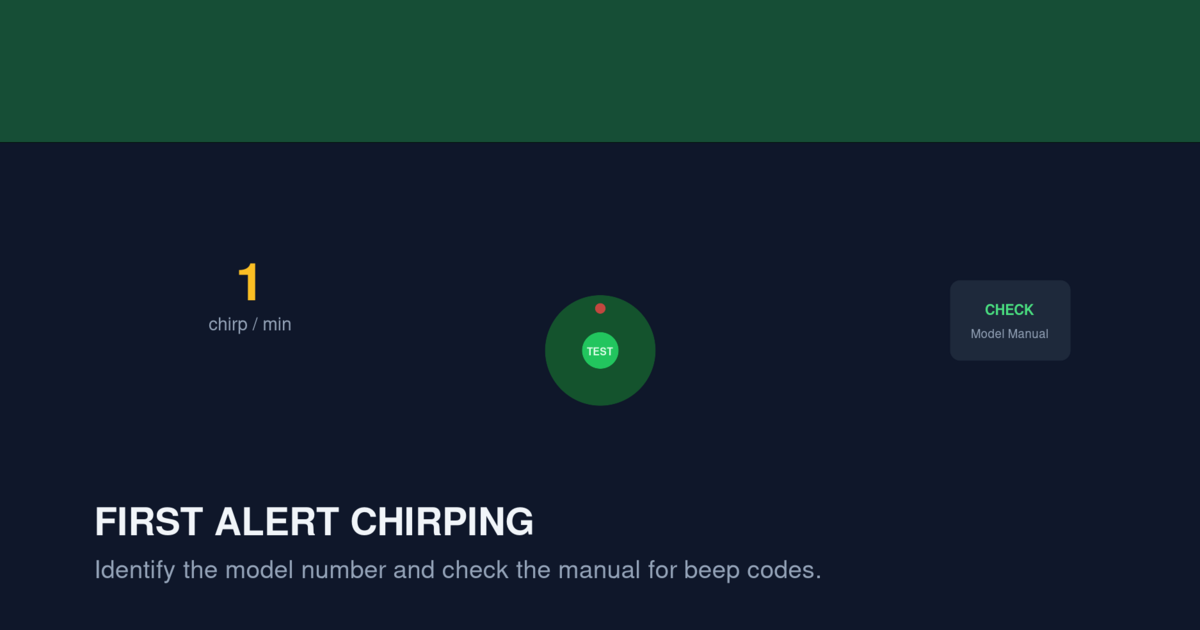
First Alert uses different chirp patterns to communicate specific issues. The pattern tells you whether the problem is a battery, sensor, wiring, or end-of-life issue.
Pattern 1: Single Chirp Every 60 Seconds
Meaning: Low battery
This is the most common First Alert chirp. A single short beep every 60 seconds, accompanied by a red LED flash once per minute, indicates the battery voltage has dropped below the operational threshold.
Fix: Replace the battery with a fresh alkaline or lithium 9V battery. For hardwired units with backup battery, replace the backup battery. See our Smoke Detector Chirping at Night guide for why this happens at specific times.
Pattern 2: Single Chirp Every 30 Seconds
Meaning: End of life or sensor trouble
This pattern indicates either the sensor has failed or the detector has reached its 10-year expiration date. The chirp continues regardless of battery replacement.
Fix: Check the manufacture date on the back of the detector. If the unit is more than 10 years old, replace it. If the unit is under 10 years old, try cleaning the sensor. If the chirp continues after cleaning, replace the detector.
Pattern 3: 3 Chirps Every 60 Seconds
Meaning: Malfunction or wiring fault (hardwired units)
This pattern indicates a wiring issue, not a battery issue. Common causes include a loose connection at the mounting bracket, a broken wire in the ceiling, or a failed component in the detector.
Fix: Turn off the breaker for the smoke detector circuit. Remove the detector from the bracket and check the wiring harness for loose connections. Reconnect firmly and remount. If the chirp continues, the detector has an internal fault and needs replacement.
Pattern 4: 5 Chirps Every 60 Seconds
Meaning: Memory error or end-of-life on some models
Some First Alert models use this pattern to indicate a memory error (after a previous alarm event) or to signal end of life on combination smoke/CO units.
Fix: Press and hold the test button for 15 seconds to clear the memory. If the chirp continues, the unit is at end of life and needs replacement.
Pattern 5: Continuous Loud Alarm
Meaning: Active smoke or CO detection
This is not a chirp — it’s a full alarm. Three loud beeps repeating indicate smoke. Four loud beeps repeating indicate carbon monoxide. Evacuate immediately and call 9-1-1.
For full details, see our Smoke Detector Beeping 3 Times guide.
Why First Alert Detectors Chirp
The most common reasons are, in order of frequency:
1. Low Battery (Most Common)
The single most common cause. Even with a relatively new battery, voltage can drop below threshold due to temperature changes, age, or a defective battery. See our Smoke Detector Low Battery Chirp Won’t Stop guide for details.
2. End of Life
First Alert detectors have a 10-year lifespan. The sensor degrades over time, and the detector chirps to signal replacement. Most First Alert detectors manufactured in 2015 or earlier are at or near end of life in 2026.
3. Sensor Trouble
Dust, insects, or moisture in the sensor chamber triggers a trouble alert. Cleaning the detector resolves most sensor trouble chirps.
4. Wiring Fault (Hardwired Models)
Loose connections or damaged wires cause intermittent chirping in hardwired units. This requires checking the wiring harness and may need an electrician.
5. Component Failure (2% of chirps)
Rare internal failures that require detector replacement.
Quick Fix Checklist for First Alert Chirping
When your First Alert detector starts chirping, work through this checklist:
- Identify the chirp pattern. Is it every 30 seconds, every 60 seconds, or 3-5 chirps in a row?
- Check the LED. A red flash with each chirp indicates a trouble alert. A green flash indicates normal operation.
- Replace the battery. Even if you’ve recently replaced it, install a fresh battery from a different brand.
- Press and hold the test button for 15 seconds. This drains residual charge and clears error memory.
- Check the manufacture date. If the unit is over 10 years old, replace it.
- Clean the detector. Use compressed air and a soft brush to remove dust.
- For hardwired units, check the wiring. Loose connections are a common cause.
If none of these steps resolve the chirp, the detector has an internal fault and needs replacement.
Battery Replacement for First Alert Detectors
First Alert uses different battery types depending on the model:
9V Battery Models
Older First Alert detectors use a single 9V battery. Brands like First Alert SA303CN3, SCO7CN, and PRC710 use 9V batteries.
Recommended: Energizer Ultimate Lithium 9V battery. Lasts 5-10 years vs 1-2 years for alkaline.
AA Battery Models
Newer First Alert detectors use two or three AA batteries. Models like First Alert P1010, PR710, and SA511CN3 use AA batteries.
Recommended: Energizer Ultimate Lithium AA batteries. Last 5-10 years.
Sealed 10-Year Lithium Models
Some First Alert detectors have a sealed lithium battery that cannot be replaced. When the battery dies, the entire detector must be replaced. These include the First Alert SA340CN, SA3210CN10, and P1210CN models.
Hardwired Models
Hardwired First Alert detectors connect to AC power but have a backup battery. Replace the backup battery annually (alkaline) or every 5-10 years (lithium).
For a step-by-step battery replacement walkthrough, see our Smoke Detector Chirping at Night guide.
Cleaning a First Alert Detector
If the chirp pattern indicates sensor trouble, cleaning may resolve it:
- Remove the detector from its mounting bracket by twisting counterclockwise.
- Use a can of compressed air to blow dust out of the vents on the side of the detector.
- Use a soft, dry brush (a clean paintbrush works) to gently brush the exterior vents.
- Do not open the detector’s case or touch the internal sensor.
- Press and hold the test button for 5 seconds to verify the detector works.
If the chirp returns after cleaning, the sensor is failing and the detector needs replacement.
First Alert Models and Their Specific Quirks
Different First Alert models have slightly different chirp patterns. Here are the most common models and their specific issues.
First Alert SA303CN3 (Battery-Only Photoelectric)
This is a basic battery-only photoelectric detector. Chirp every 60 seconds = low battery. Chirp every 30 seconds = end of life (replace after 10 years).
First Alert SCO7CN (Combination Smoke/CO)
Combination smoke and CO detector. Three beeps = smoke, four beeps = CO. Single chirp every 60 seconds = low battery. Single chirp every 30 seconds = end of life.
For CO-specific chirp patterns, see our Carbon Monoxide Detector Beeping Patterns guide.
First Alert P1010 (Battery-Only with Voice)
This model has voice alerts (“Fire!” or “Low battery!”). The chirp pattern is the same as other models, but the voice tells you exactly what’s wrong.
First Alert SA511CN3 (Hardwired with Battery Backup)
Hardwired interconnected detector. Backup battery is a 9V or AA (depending on model). Chirp every 60 seconds with backup battery = replace battery. Chirp every 30 seconds = end of life.
For hardwired troubleshooting, see our First Alert Hardwired Smoke Detector Chirping guide.
First Alert SC5 (Smart Detector)
First Alert’s smart detector with Wi-Fi connectivity. The Google Home app tells you exactly why the detector is chirping. Common chirp reasons: low battery, sensor problem, Wi-Fi disconnected, expired.
For more details, see our Nest Protect Discontinued Replacement Guide — the SC5 is the closest replacement for the discontinued Nest Protect.
End of Life Replacement Schedule
First Alert detectors expire 10 years after manufacture. Here’s when common models need replacement:
| Model | Manufactured | Expires |
|---|---|---|
| SA303CN3 | 2014 | 2024 (already expired) |
| SCO7CN | 2016 | 2026 (replace now) |
| P1010 | 2017 | 2027 |
| PR710 | 2018 | 2028 |
| SA511CN3 | 2018 | 2028 |
| SA340CN | 2019 | 2029 |
| SC5 | 2023+ | 2033+ |
If your First Alert detector is past its expiration date, replace it. See our How Often to Replace Smoke Detectors guide for full details.
When to Replace vs. When to Repair
Replace the battery if:
- The chirp started recently (within the last few days)
- The detector is under 10 years old
- The chirp stops after battery replacement
Replace the detector if:
- The chirp continues after battery replacement
- The detector is past its 10-year expiration
- The detector has visible physical damage
- The detector fails the test button check
- The chirp pattern indicates sensor trouble and cleaning doesn’t help
Call an electrician if:
- You have hardwired detectors and the chirp pattern indicates a wiring fault
- Multiple hardwired detectors are chirping simultaneously
- You smell burning or see scorch marks near the detector
Comparing First Alert to Other Brands
First Alert is one of the three major smoke detector brands in the US (along with Kidde and X-Sense). The chirp patterns are similar across brands, but there are some differences.
| Brand | Low Battery Pattern | End of Life Pattern | Notes |
|---|---|---|---|
| First Alert | 1 chirp every 60s | 1 chirp every 30s | Most common pattern |
| Kidde | 1 chirp every 60s | 3 chirps every 60s | Slightly different EOL |
| X-Sense | 1 chirp every 60s | 1 chirp every 30s | Similar to First Alert |
If you’re switching from First Alert to Kidde or vice versa, the chirp patterns are similar enough that you can use the same general troubleshooting approach. For Kidde-specific troubleshooting, see our Kidde Smoke Detector Chirping After Battery Change guide.
For a full brand comparison, see our First Alert vs Kidde Smoke Alarms article.
Buying Replacement First Alert Detectors
When it’s time to replace your First Alert detectors, here are the current top picks:
Best basic battery-only: First Alert P1010 — voice alerts, photoelectric sensor, 9V battery. About $20-25 per unit.
Best 10-year sealed: First Alert SA3210CN10 — sealed lithium battery, photoelectric, no battery changes for 10 years. About $30-40 per unit.
Best hardwired: First Alert SA511CN3 — hardwired interconnected, backup battery, photoelectric. About $25-35 per unit.
Best smart: First Alert SC5 — Wi-Fi connected, app alerts, Google Home integration. About $100-130 per unit.
For more options, see our Best Battery Smoke Detectors for Bedrooms and Best Hardwired Smoke Detector Replacements guides.
FAQ
Why is my First Alert detector chirping after I changed the battery?
The most common causes are: (1) the new battery is defective or old stock, (2) the detector needs a hard reset — press and hold the test button for 15-20 seconds, (3) the detector has an internal fault unrelated to the battery.
How do I silence a First Alert chirp without removing the battery?
Press and hold the test/hush button for 5 seconds. The chirp will be silenced for 8-12 hours, giving you time to fix the underlying problem.
What does 3 chirps every 60 seconds mean on a First Alert?
This indicates a malfunction or wiring fault. Check the wiring harness on hardwired units. If the wiring is OK, the detector has an internal fault and needs replacement.
Can a First Alert detector chirp when the battery is good?
Yes, if the sensor has failed, the detector is at end of life, or there is a wiring fault. The chirp pattern indicates which issue.
How long do First Alert batteries last?
Alkaline batteries last 1-2 years. Lithium batteries last 5-10 years. Sealed 10-year lithium detectors last the entire detector lifespan with no battery changes.
Do all First Alert detectors chirp the same way?
Most First Alert detectors use the same chirp patterns. Combination smoke/CO units have additional chirps for CO detection. Smart detectors like the SC5 provide specific reasons via the app.
Why does my First Alert chirp at night?
See our Smoke Detector Chirping at Night guide. The most common cause is low battery voltage dropping at night due to temperature changes.
Should I replace all my First Alert detectors at once?
If they’re all the same age, yes. If they’re different ages, replace the oldest ones first. Check the manufacture date on the back of each detector.
How do I know if my First Alert is under warranty?
First Alert offers a 10-year warranty on most detectors. Check your purchase receipt or the First Alert website with the model number and serial number.
Can I clean a First Alert detector instead of replacing it?
For sensor trouble chirps, cleaning may resolve the issue. For end-of-life chirps, cleaning won’t help — the sensor is permanently degraded.
When cleaning and fresh batteries do not stop the chirp, the unit is end-of-life. This battery combo is the like-for-like First Alert replacement — no rewiring, no new mounts.
Check price on Amazon Price & availability shown on Amazon.com — we may earn a commission.Related Articles
- Smoke Detector Chirping at Night — why chirping happens at specific times
- Smoke Detector Low Battery Chirp Won’t Stop — persistent low-battery chirps
- First Alert Hardwired Smoke Detector Chirping — for hardwired First Alert units
- First Alert Green Light Blinking and Chirping — LED indicator guide
- First Alert vs Kidde Smoke Alarms — comparing the two brands