Always read the manual for your exact Kidde model before performing any reset or maintenance. Beep patterns, reset steps, and LED indicators vary by model and manufacturing year. The information below is based on Kidde’s published support guidance and general industry standards, but your model may differ. If you cannot find your manual, search for your model number at kidde.com/support.
Step 1: Distinguish a maintenance chirp from a fire alarm
Before troubleshooting, make sure you know what the sound means. Smoke alarms use two completely different signal types:
Active alarm (evacuate now):
- Three loud beeps, a pause, then three more — This is the standard fire/smoke alarm signal (ANSI temporal three pattern). It means possible smoke or fire. Get out, call 911, and stay out.
- Four loud beeps, a pause, then four more — On combination smoke/CO alarms, this signals carbon monoxide. Leave immediately and call 911.
If you hear either of these patterns, do not troubleshoot. Evacuate first.
Maintenance chirp (not an emergency, but needs attention):
- A single short chirp every 30 to 60 seconds indicates a condition the alarm wants you to address — typically a low backup battery, end of life, or a malfunction. The exact chirp rate and meaning vary by model.
This guide covers troubleshooting the maintenance chirp only, after you have confirmed the sound is not a repeating three-beep or four-beep alarm.
Why a Kidde hardwired alarm chirps
Kidde hardwired alarms run on household power with a battery backup. A periodic chirp on a hardwired unit is most commonly caused by one of these conditions:
- Low or dead backup battery — the most frequent cause
- End of life — the sensor has reached its replacement age (typically 10 years from manufacture)
- Retained error condition — the alarm may need a model-specific reset after a battery change
- Improperly installed battery — loose contacts or a battery drawer that is not fully closed
- Environmental contamination — dust, humidity, steam, or insects interfering with the sensor
- Wiring or interconnect issue — a loose harness connection or a fault on the interconnect wire
Kidde documents these causes on their support page for intermittent beeping.
General reset for a Kidde hardwired alarm
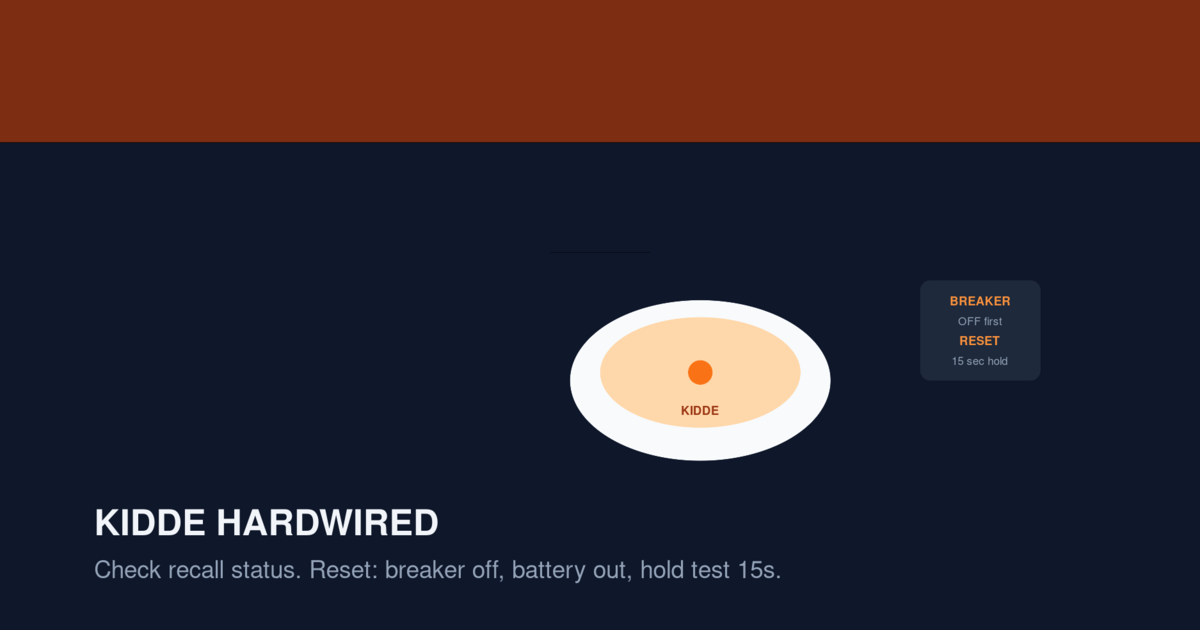
If a chirp persists after replacing the backup battery with a fresh one of the correct type, Kidde’s support guidance describes a reset procedure. The exact steps and hold times differ by model, so check your manual first. The general approach is:
- Turn off the circuit breaker that supplies power to the smoke alarm circuit. Press the test button to verify the alarm has no power.
- Remove the alarm from the mounting bracket (usually twist counterclockwise).
- Disconnect the wiring harness by pressing the release tab and pulling. Do not pull on the wires themselves.
- Remove the backup battery from the compartment.
- Press and hold the test button for the duration specified in your model’s manual. This drains residual charge stored in the alarm’s capacitor and can clear a retained error condition.
- Wait the time specified in your manual before reinstalling the battery.
- Install a fresh battery of the correct type, matching the polarity marks.
- Close the battery compartment fully. Kidde lists an unclosed battery drawer as a chirp cause.
- Reconnect the wiring harness firmly until it clicks.
- Mount the alarm by twisting clockwise until it locks.
- Restore power at the breaker.
- Press the test button to confirm the alarm responds normally.
If the chirp continues after this procedure, check the replacement date and inspect the wiring. Do not repeat the reset endlessly on an alarm that has reached its stated end of life.
Which alarm is chirping in an interconnected system?
In a Kidde interconnected system, one alarm’s trouble condition can cause all linked alarms to chirp. To find the source:
- Listen at each alarm when the chirp occurs. The originating alarm may chirp slightly differently or have a visible LED indicator.
- Check the LED on each unit. Kidde alarm LED patterns vary by model — some use a steady red LED for normal operation and a flashing LED to indicate trouble. Your model’s manual defines what each LED state means.
- Address the source alarm first. Replace its battery and perform the reset on that unit. If all alarms stop chirping, the issue was isolated.
If multiple alarms continue to chirp after all batteries are replaced, the problem may be on the interconnect wire or a failed unit. In that case, identify and replace the failed alarm.
Backup battery types vary by model
Kidde hardwired alarms use different backup batteries depending on the model:
| Battery type | Typical models | Replacement notes |
|---|---|---|
| 9V alkaline or lithium | Older hardwired models | Use the battery type specified on the alarm label or in the manual |
| AA batteries | Some models with dual-lock battery drawers | Replace all batteries in the drawer at the same time |
| Sealed 10-year lithium | Certain hardwired models | Cannot be replaced — the entire alarm is replaced at end of life |
Always check the label on your specific alarm for the correct battery type. Using the wrong battery type can cause chirping or unreliable operation.
Wiring and interconnect troubleshooting
Kidde hardwired alarms connect to household wiring through a plug-in harness and communicate with other alarms through a separate interconnect wire. If chirping persists after battery replacement and reset:
- Check the harness connection. Disconnect and reconnect it firmly. A loose harness is a common cause of trouble signals.
- Inspect the interconnect wire. Look for damage, corrosion, or loose wire nuts at each junction.
- Check for mixed brands. Kidde alarms are designed to interconnect with other Kidde alarms. Mixing brands on an interconnected system can cause unpredictable behavior because different manufacturers may use different interconnect signaling.
Do not handle damaged wiring, melted connectors, or a repeatedly tripping breaker yourself. These conditions require a qualified electrician. Turn off power at the breaker and contact a professional.
Check for recalls before further troubleshooting
Kidde has issued multiple smoke and CO alarm recalls. A manufacturing defect could be the root cause of chirping that does not resolve with battery replacement and reset. Before spending more time troubleshooting:
- Remove the alarm and read the model number and date code on the back label.
- Compare against the recall lists in our Kidde Smoke Detector Recall Guide.
- You can also check at cpsc.gov/Recalls or kidde.com/product-safety-notices.
If your alarm is on a recall list, contact Kidde for a free replacement. Keep using the recalled alarm until the replacement arrives.
When to replace the alarm
Replace a Kidde hardwired alarm if any of the following apply:
- The chirp continues after a battery replacement and the model-specific reset
- The alarm is more than 10 years old (check the manufacture date on the back label)
- The alarm has been recalled
- The unit fails the monthly test button check
- On combination smoke/CO alarms, the CO sensor has reached its end of life (which may differ from the smoke sensor’s lifespan)
For replacement options, see Best Hardwired Smoke Detector Replacements. If you are switching from Kidde to another brand, read our First Alert vs Kidde comparison first to understand compatibility considerations for interconnected systems.
Sources
- Kidde: What Causes Intermittent Beeping or Chirping?
- Kidde Support: Manuals and Product Information
- CPSC Recall Database
- NFPA: Smoke Alarm Safety
FAQ
Why does my Kidde hardwired alarm keep chirping after a battery change?
The most common reasons are a retained error condition that requires a model-specific reset, a battery that is not seated correctly, a battery drawer that is not fully closed, or the alarm reaching end of life. Check your model’s manual for the exact reset steps and hold times.
What do three beeps mean on a Kidde alarm?
Three loud beeps in a repeating pattern (beep-beep-beep, pause, repeat) is the standard smoke/fire alarm signal. Treat it as a real emergency: evacuate, call 911, and stay out. Do not assume three beeps mean a wiring fault.
How long do I hold the test button to reset a Kidde alarm?
The hold time varies by model. Some manuals specify 10–15 seconds; others specify longer. Check your model’s manual for the exact procedure. Holding the test button with power and battery removed drains the capacitor and can clear a retained error condition.
Can I mix Kidde and First Alert alarms on an interconnected system?
Kidde alarms are designed to interconnect with other Kidde models. Mixing brands on a hardwired interconnected system can cause unpredictable behavior because manufacturers may use different interconnect signaling. For non-interconnected (standalone battery) alarms, mixing brands is generally not a concern.
Why do all my Kidde alarms chirp at the same time?
In interconnected systems, one alarm’s trouble condition can cause all linked units to chirp. Find the source by checking each alarm’s LED indicator and addressing that specific unit first.
Should I replace all my Kidde alarms at once?
If they were all installed at the same time, they may be approaching end of life together. Replacing them as a set ensures consistent age, performance, and interconnect compatibility. If only one unit is faulty and the system is not interconnected, replacing that single unit is usually fine.
Related Articles
- Hardwired Smoke Alarm Chirping: Safe Troubleshooting — general hardwired guidance
- Kidde Smoke Detector Chirping After Battery Change — Kidde battery-change specifics
- Kidde Smoke Detector Recall Guide — check for active recalls
- Smoke Detector Chirping at Night — nighttime beeping
- Best Hardwired Smoke Detector Replacements — replacement options