Important: Kidde chirp patterns and reset procedures vary significantly by model. The steps below cover common Kidde models, but always check your specific model’s user manual. Find your model number on the back of the detector. You can also check Kidde’s recall page to verify your unit is not affected by a safety recall.
Replacing the battery should silence a chirping smoke detector. But if you replaced the battery in your Kidde detector and it still chirps, there’s a specific issue that needs addressing. Kidde detectors have reset procedures that differ from First Alert, X-Sense, and other brands. This guide walks through common Kidde fixes for chirping after battery replacement.
Why Kidde Detectors Chirp After Battery Replacement
A Kidde detector may continue chirping after a battery change for five reasons:
1. The Detector Needs a Hard Reset
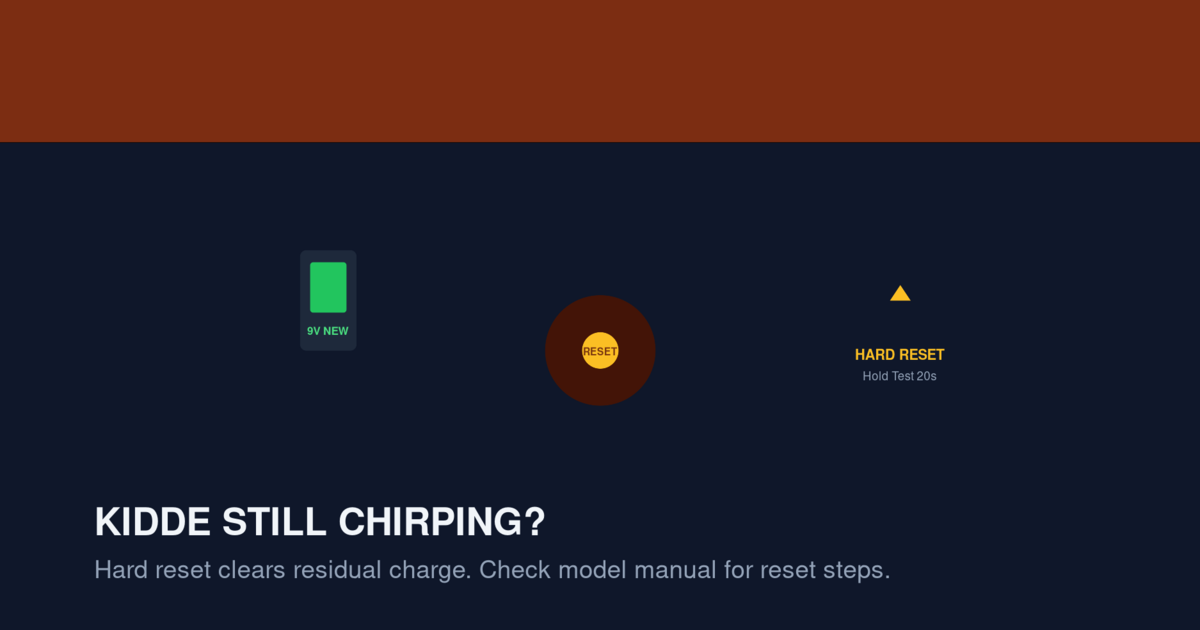
This is the most common cause. Even with a fresh battery, Kidde detectors can hold residual charge in their internal capacitors. This residual charge keeps the chirping circuit active. A hard reset drains the capacitors and clears the error memory.
2. The New Battery Is Defective or Old Stock
Batteries sitting on store shelves for months can lose charge. Even “fresh” batteries from the store may be partially depleted. Try a different battery from a different package to rule out a defective battery.
3. The Detector Has an Internal Error Memory
Kidde detectors track fault codes. If the detector chirped for any reason before the battery died, the fault code remains in memory even after battery replacement. Pressing and holding the test button clears this memory.
4. The Detector Is at End of Life
If your Kidde detector is more than 10 years old, the chirp is signaling end of life, not a battery issue. Replacing the battery doesn’t help because the sensor itself has failed. The detector needs replacement.
5. The Detector Has a Wiring Fault (Hardwired Models)
Hardwired Kidde detectors chirp when there’s a wiring issue. The backup battery is fine, but the AC power connection is loose or the interconnect wire is damaged.
Quick Fix: The Kidde Reset Procedure
If your Kidde detector chirps after battery replacement, follow this exact procedure:
- Turn off the breaker for the smoke detector circuit (for hardwired units). For battery-only units, skip this step.
- Remove the detector from its mounting bracket by twisting counterclockwise.
- Disconnect the wiring harness (hardwired units only). Press the tab and pull the connector.
- Remove the backup battery (hardwired units only).
- Press and hold the test button for 15-20 seconds. This drains residual charge and clears error memory.
- Reinstall the battery with the correct polarity.
- Reconnect the wiring harness (hardwired units only).
- Mount the detector back on the bracket by twisting clockwise.
- Turn the breaker back on (hardwired units only).
- Press the test button briefly to verify the detector works.
If the chirp returns after this procedure, try the steps below.
Battery Replacement for Kidde Detectors
Kidde detectors use different battery types depending on the model:
Models Using 9V Battery
Older Kidde models like the i9050, i9060, and i9080 use a single 9V battery. Replace with Energizer Ultimate Lithium 9V for best results.
Models Using AA Batteries
Newer Kidde models like the P3010CU, P3010L, and i9010 use AA batteries. Most use 3 AA batteries. Replace with Energizer Ultimate Lithium AA.
Sealed 10-Year Lithium Models
Some Kidde models have sealed lithium batteries that cannot be replaced. When the battery dies, replace the entire detector. Models include the P3010CU and P3010B.
Hardwired Models with Backup Battery
Hardwired Kidde detectors use either a 9V or AA backup battery. Replace annually (alkaline) or every 5-10 years (lithium).
Kidde Chirp Patterns After Battery Replacement
After replacing the battery, listen for these specific Kidde chirp patterns:
Single Chirp Every 60 Seconds
Meaning: Low battery or residual charge
Fix: Perform the hard reset procedure above. If the chirp continues, try a different battery.
Single Chirp Every 30 Seconds
Meaning: End of life or sensor fault
Fix: Check the manufacture date. If the unit is over 10 years old, replace it. If under 10 years old, try cleaning the sensor with compressed air.
3 Chirps Every 60 Seconds
Meaning: Wiring fault or communication error
This specific pattern on Kidde detectors indicates a problem with the interconnect wire (in interconnected systems) or a wiring issue at the mounting bracket.
Fix:
- Turn off the breaker
- Remove the detector
- Check the wiring harness for loose wires or corrosion
- Reconnect firmly and remount
- Restore power and test
If the chirp continues, check the interconnect wire between this detector and the others. A break in the interconnect wire can cause 3-chirp patterns on multiple detectors.
5 Chirps Every 60 Seconds
Meaning: Memory error or end of life on combination units
Fix: Press and hold the test button for 15-20 seconds to clear the memory. If the chirp continues, replace the detector.
Kidde-Specific Quirks by Model
Different Kidde models have specific quirks. Here are the most common:
Kidde i9050 (Basic Battery-Only Ionization)
This is the most basic Kidde detector. Single chirp every 60 seconds = low battery. After battery replacement, if the chirp continues, perform the hard reset procedure.
Kidde i9060 (Battery-Only with Hush Feature)
This model has a hush button to silence nuisance alarms. The hush button also clears some error states. After battery replacement, press the hush button to see if the chirp stops.
Kidde P3010CU (10-Year Sealed Lithium)
This is a sealed 10-year detector. There’s no battery to replace. If the unit chirps, it means end of life. Replace the entire detector.
Kidde i9010 (Sealed Lithium with Voice Alert)
Combination smoke/CO detector with sealed battery. Three beeps = smoke, four beeps = CO. Single chirp = low battery (which means end of life since the battery is sealed). Replace the unit.
Kidde i12040 (Hardwired Interconnected)
Hardwired interconnected detector with 9V backup battery. After battery replacement, the detector may chirp if the interconnect wire is loose or the wiring harness isn’t fully seated. Check the wiring harness carefully.
Kidde i4618 (Hardwired with CO Detection)
Combination smoke/CO hardwired detector. Same wiring issues as the i12040. Also check the CO sensor’s expiration date — Kidde CO sensors expire after 7 years, sooner than smoke sensors.
Why Kidde Detectors Have These Quirks
Kidde detectors use a specific microcontroller that handles battery monitoring, sensor reading, and chirp generation. The microcontroller tracks the last error state and continues to chirp until the error is cleared.
The hard reset procedure (pressing the test button for 15-20 seconds) is what clears this error memory. Without this reset, the detector continues to chirp based on the old error state, even with a fresh battery.
This is a deliberate design choice — the chirp persists to ensure you address the underlying issue. Unfortunately, it also means the detector will keep chirping if you don’t perform the reset.
Test Button Behavior on Kidde Detectors
The test button on Kidde detectors serves multiple functions:
- Brief press (less than 1 second): Runs a self-test. The detector sounds the alarm briefly.
- Press and hold (5-10 seconds): Activates the hush feature for nuisance alarms.
- Press and hold (15-20 seconds): Clears error memory and performs a hard reset.
- Press and hold (30+ seconds): On some models, initiates a factory reset.
For chirping after battery replacement, you need the 15-20 second hold. This is longer than most people press the button, so they don’t fully clear the error memory.
Alternative Fix: Disconnect Power for Extended Time
If the hard reset procedure doesn’t work, try disconnecting power for an extended period:
- Turn off the breaker (hardwired units) or remove the battery (battery-only units).
- Wait 30 minutes. This is longer than the typical “drain residual charge” period and forces the internal capacitors to fully discharge.
- Reconnect power and reinstall the battery.
- Press and hold the test button for 15 seconds.
- Mount the detector and test.
The 30-minute wait is the nuclear option for stubborn Kidde chirps. It works when the shorter reset procedure doesn’t because it gives the detector’s capacitors time to fully discharge.
When to Replace Instead of Reset
Sometimes the detector itself has failed and no amount of resetting will help.
Replace the Detector If:
- The chirp continues after a hard reset
- The chirp continues after a 30-minute power disconnect
- The detector is more than 10 years old
- The detector has visible physical damage
- The detector fails the self-test (no sound when you press the test button briefly)
Kidde Replacement Recommendations
For new Kidde detectors, consider these current models:
- Best basic: Kidde i9050 — battery-only ionization, 9V. About $10-15.
- Best 10-year sealed: Kidde P3010CU — sealed lithium, photoelectric. About $25-35.
- Best hardwired: Kidde i12040 — hardwired with battery backup. About $20-30.
- Best combination smoke/CO: Kidde i4618 — hardwired combination. About $40-60.
For more options, see our Best Battery Smoke Detectors for Bedrooms and Best Hardwired Smoke Detector Replacements guides.
Active Kidde Recalls
Before buying a new Kidde detector, check for active recalls. Kidde has had multiple recalls in recent years:
- 2018 recall: PI2010 and PI9010 models — yellow cap defect
- 2021 recall: Specific TruSense smoke and combination alarms
- 2022 recall: Specific models with manufacturing defects
- 2024 recall: Additional models
For full recall details, see our Kidde Smoke Detector Recall Guide — check the manufacture date and model number against the active recall list before installing a new Kidde detector.
Common Mistakes When Replacing Kidde Batteries
These mistakes can prevent the detector from recognizing the new battery:
Mistake 1: Using the Wrong Battery Type
Kidde detectors specify 9V or AA batteries. Using a different size or type (like a 6V battery or rechargeable battery) prevents the detector from recognizing the new battery. Always use the exact battery type specified on the detector’s label.
Mistake 2: Installing the Battery Backwards
If the battery is installed with reversed polarity, the detector won’t power on. Check the +/- orientation inside the battery compartment. The diagram is usually embossed on the inside of the compartment door.
Mistake 3: Not Waiting Before Reinstalling
After pressing the test button to drain residual charge, some people reinstall the battery immediately. Waiting 5-10 seconds before reinstalling helps ensure the capacitors are fully discharged.
Mistake 4: Forgetting to Reset the Detector
Replacing the battery alone doesn’t reset the error memory. You must press and hold the test button for 15-20 seconds to fully reset the detector.
Mistake 5: Replacing Only One Detector in an Interconnected System
In interconnected systems, replacing the battery in only one detector can cause the others to chirp. This is because the interconnect wire carries both the alarm signal and the chirp signal. If one detector is in an error state, it can cause the others to chirp through the interconnect wire.
If multiple detectors are chirping after replacing one battery, replace the battery in the chirping detector and perform the hard reset on all interconnected units.
The 24-Hour Test
After replacing the battery and performing the hard reset, monitor the detector for 24 hours:
- If the detector remains silent for 24 hours, the fix is complete.
- If the detector chirps within 24 hours, repeat the hard reset procedure.
- If the detector chirps multiple times in 24 hours, replace the detector.
The 24-hour test catches intermittent issues that might not appear immediately after the reset.
When the Chirp Is Actually a Different Sound
Sometimes what sounds like a chirp is actually a different sound. Kidde detectors make several sounds:
- Chirp: Single short beep, every 30-60 seconds
- Alarm: Three loud beeps in a row, repeating
- CO alarm: Four loud beeps in a row, repeating
- End-of-life: Single chirp every 30 seconds with a yellow LED flash
If you’re hearing a continuous alarm rather than a chirp, see our Smoke Detector Beeping 3 Times guide — you may be dealing with an actual alarm event.
FAQ
Why does my Kidde detector chirp every 60 seconds after I changed the battery?
The most common cause is residual charge in the detector’s capacitors. Press and hold the test button for 15-20 seconds to clear the error memory. If the chirp continues, the new battery may be defective — try a different battery.
How long do I press the test button to reset a Kidde detector?
Press and hold for 15-20 seconds. This is longer than most people press the button. The detector will announce “Test” or beep during the reset.
Will removing the battery silence a Kidde chirp?
Yes, but only temporarily. The chirp returns when you reinstall the battery. The detector needs a hard reset to fully clear the error memory.
Can a Kidde detector chirp with a brand new battery?
Yes, if the detector has residual charge from the old battery, if the new battery is defective, or if the detector has an internal error. Try the hard reset procedure first, then try a different battery.
How long do Kidde batteries last?
Alkaline batteries last 1-2 years. Lithium batteries last 5-10 years. Sealed 10-year lithium detectors don’t need battery changes — replace the entire detector after 10 years.
Why does my Kidde chirp even after a hard reset?
If the chirp continues after a hard reset, the detector has an internal fault. Replace the detector. Common causes are sensor failure, end of life, or component failure.
Can I use rechargeable batteries in Kidde detectors?
No. Rechargeable batteries have a lower nominal voltage than alkaline or lithium. The Kidde detector interprets this as a low battery condition and chirps.
Should I replace my Kidde detector if it’s chirping after battery replacement?
Not immediately. Try the hard reset procedure first. If the chirp continues after two reset attempts, replace the detector.
What does 3 chirps every 60 seconds mean on a Kidde detector?
This indicates a wiring fault or interconnect communication error. Check the wiring harness and interconnect wire between detectors. If the wiring is OK, replace the detector.
Will a Kidde detector chirp if it’s past its expiration date?
Yes. Kidde detectors expire 10 years after manufacture. The chirp is the same as a low-battery chirp, but no battery change will fix it. Replace the detector.
Related Articles
- Smoke Detector Chirping at Night — why chirping happens at specific times
- Smoke Detector Low Battery Chirp Won’t Stop — persistent low-battery chirps
- Kidde Smoke Detector Recall Guide — check for active recalls
- Hardwired Smoke Detector Beeping — for hardwired Kidde units
- First Alert Smoke Detector Chirping — comparison with First Alert