Motion sensor lights that stay on are frustrating and wasteful. The good news is that most causes are simple: a sensitivity setting is too high, the timer is set to maximum, or the sensor is reading constant motion. This guide walks you through calm, safe fixes before you replace the fixture.
Problem Explanation
A motion light is designed to turn on when it detects movement and turn off after a set time. If it stays on, it is usually reading constant motion or the timer is set too high. In many cases, a quick settings adjustment solves it.
Most fixes take only a few minutes.
Some fixtures also have a manual override mode that keeps the light on continuously. If that mode is active, the light will not turn off until the override is cleared.
Motion sensors can also react to heat, not just movement. Warm air from a dryer vent or a furnace exhaust can keep the sensor active even when nothing is moving.
Why This Usually Happens
Common causes include:
- Sensitivity is set too high.
- The timer is set to the maximum duration.
- The sensor lens is dirty or covered with spider webs.
- The photocell thinks it is always dark.
- Heat sources or moving branches trigger the sensor.
- The sensor needs a reset after a power interruption.
- The sensor or wiring is failing.
- Passing cars or pets are triggering the sensor.
Environmental changes also matter. Wind, rain, and seasonal growth can introduce new movement in the detection zone.
If you recently swapped the bulbs, check that they are compatible with the fixture. Some LED bulbs are not designed for motion sensors and can cause odd behavior.
Common Motion Sensor Light Types
Most homes use one of these styles:
- Wall-mounted exterior lights with built-in sensors.
- Floodlights with adjustable sensor heads.
- Motion lights with dusk-to-dawn photocells.
- Smart motion lights with app controls.
- Solar-powered fixtures with basic sensors.
The fix steps below work for most of these types, although smart fixtures may have additional settings in an app.
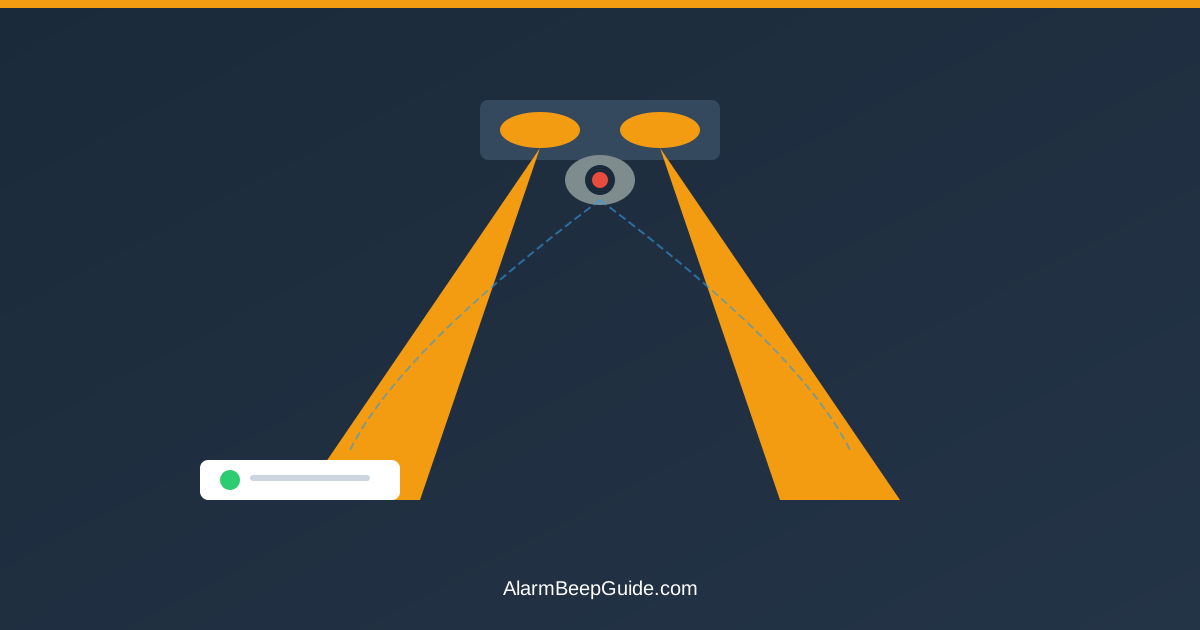
If your fixture has a selectable detection zone or range setting, use it. Narrowing the zone can prevent the light from seeing movement on a sidewalk or street.
Some fixtures use a passive infrared sensor that reacts to heat. Others combine infrared with a motion algorithm. If your light reacts to warm air or sunlit surfaces, lowering sensitivity usually helps.
What the Behavior Typically Means
If the light never turns off, it usually means the sensor is reading movement or heat constantly. If it stays on for a long time and then turns off, the timer is likely set too high.
If it cycles on and off rapidly, the sensor may be dirty or the wiring may be loose. If it stays on after a power outage, the fixture may have reset into a test or override mode.
If it only stays on during windy weather, the sensor is likely seeing moving branches or shifting shadows. That is a strong sign to lower sensitivity or change the sensor angle.
If the light stays on only in the early evening, the photocell may be set too sensitive. Adjusting the dusk setting can reduce that behavior.
When It’s Usually Safe to Ignore
These situations are usually routine:
- A light that stays on for a few minutes after movement.
- A light that stays on after a power restore, then resets.
- A light that stays on during setup or test mode.
- A light that stays on because manual override was activated.
If the light returns to normal after a settings change, it is usually safe to move on.
If you recently flipped the switch off and on quickly, some fixtures interpret that as a command to stay on. Turning the switch off for 30 seconds typically clears it.
When It’s Worth Checking Further
It is worth checking further if:
- The light stays on all night no matter the settings.
- The sensor is hot to the touch or the light flickers.
- The light will not turn off even in daylight.
- You smell burning or see scorch marks.
- The fixture is new and the issue started immediately.
These signs can indicate a failing sensor or wiring issue, which may require professional help.
If you see moisture inside the sensor lens, the seal may be compromised. That can cause constant triggering and usually means the sensor needs replacement.
Seven Quick Fixes
Fix 1: Lower the sensitivity
High sensitivity can detect small movements like swaying branches, pets, or insects. Turn the sensitivity dial toward the lower setting, wait for the current cycle to end, and test again. If the light stays on, lower the setting further and re-test.
If the sensor has multiple detection zones, aim it away from sidewalks or driveways you do not need to cover.
Fix 2: Reduce the timer setting
If the timer is set to the maximum, the light can stay on for 10 to 20 minutes and appear stuck. Turn the timer to the shortest setting, confirm it shuts off, then adjust to your preferred time.
Some fixtures have two dials that look similar. One controls sensitivity and the other controls time. If adjustments do not change the behavior, double-check you are turning the right dial.
Fix 3: Check for moving objects
Look for tree branches, hanging decorations, or reflective surfaces that might trigger constant detection. Car headlights or streetlights can also reflect into the sensor and keep it active. Trim or reposition as needed.
If the sensor faces a busy street or sidewalk, consider aiming it slightly downward so it ignores distant motion.
Fix 4: Clean the sensor lens
Dirt, dust, and spider webs can confuse the sensor. Turn off power, wipe the lens with a soft cloth, and remove any debris from the fixture. A clean lens improves accuracy and reduces false triggers.
If the lens looks cloudy or yellowed, it may be aging. That can reduce accuracy and keep the light on longer than intended.
Fix 5: Check the photocell
If the light has a dusk-to-dawn sensor, make sure it is not blocked by debris or another light source. If it is covered or pointed at a bright light, it may think it is always dark.
Also check whether the fixture is mounted too close to another light. A nearby porch light can trick the sensor into staying on.
If the fixture has a selectable dusk setting, choose the one that matches your location. A setting that is too sensitive can keep the light on near dusk and dawn.
Fix 6: Reset the sensor
Turn the power off for 30 seconds and turn it back on. Many sensors recalibrate after a simple reset. If the fixture supports a manual override, toggle the switch on and off to cancel the override mode.
If the light stays on after a storm, a reset is often enough to clear the issue.
If the light keeps coming back on immediately after a reset, the sensor is still detecting motion or heat. Move potential triggers or lower sensitivity and test again.
Fix 7: Check wiring or replace the sensor
If none of the above work, the sensor may be failing. If you are not comfortable with wiring, a licensed electrician can help. In many cases, replacing the motion sensor head is simpler than replacing the entire fixture.
A failing sensor may also be a sign of water intrusion. If the fixture is exposed to heavy weather, consider a sealed replacement rated for outdoor use.
If the fixture uses a replaceable bulb, make sure it is firmly seated. A loose bulb can cause flicker that triggers the sensor repeatedly.
If the fixture uses two bulbs, replace them as a pair so the light output is even. Uneven brightness can confuse some sensors.
Quick Checklist
- Sensitivity lowered and timer reduced.
- Sensor lens cleaned.
- Moving branches or objects cleared.
- Photocell checked for obstructions.
- Reset performed after power interruption.
- Manual override turned off.
If the light still stays on, the sensor or wiring likely needs service.
After each adjustment, give the light a few minutes to complete its normal shutoff cycle before judging the result. Many sensors will finish the current timer even after you change a setting.
Keeping It From Happening Again
A few habits reduce repeat problems:
- Clean the lens every few months.
- Trim plants that grow into the detection zone.
- Adjust sensitivity seasonally as plants and insects change.
- Avoid pointing the sensor at reflective surfaces.
- Check fixture seals to keep out water and insects.
- Re-check the timer setting after power outages.
- Aim the sensor slightly downward to reduce distant triggers.
If you use solar motion lights, keep the solar panel clean and make sure it faces full sun. A weak charge can lead to odd on-off behavior at night.
If you prefer a predictable schedule, some fixtures allow manual mode or timed mode settings that reduce false triggers.
If the fixture is older and the lens is yellowed, replacing the sensor head can improve accuracy and reduce false triggers.
Related Alert Guides
For other household beeps and alerts, these guides can help:
- Garage Door Opener Beeping: Meaning and Fixes
- Refrigerator Beeping: Meaning and Simple Fixes
- Dishwasher Beeping: Meaning and Fixes for Common Patterns
- Security System Beeping Codes: Decode Panel Sounds Fast
FAQ
Q: Why does my motion light stay on all night? A: Sensitivity may be too high, the timer may be set to maximum, or the sensor may be reading constant motion like swaying branches.
Q: Can weather cause motion lights to stay on? A: Yes. Wind can move branches and rain can change reflections. Adjusting sensitivity often helps.
Q: How long should a motion light stay on? A: Many people set it for 1 to 5 minutes. Longer settings can make it seem stuck.
Q: Why does my motion light stay on during the day? A: The photocell may be blocked or set incorrectly. Clean the sensor and make sure it sees daylight.
Q: When should I replace the sensor? A: If cleaning and setting adjustments do not help, or if the light cycles erratically, replacement is often the best fix.
Q: Can a power outage cause a motion light to stay on? A: Yes. Some fixtures reset into a test or override mode after power returns. Turning the switch off and back on usually clears it.
Q: What if the motion light turns on and off repeatedly? A: Rapid cycling can be a sign of a dirty lens, a loose connection, or high sensitivity. Clean the lens and lower sensitivity first.
Q: Can a nearby heater keep a motion light on? A: Yes. Warm air from a vent or exhaust can trigger some sensors. Adjust the sensor angle or lower sensitivity.
Q: Is it normal for the light to stay on during setup? A: Many fixtures have a brief warm-up or test period after installation. It should switch to normal behavior after a few minutes.
Calm Summary
A motion sensor light that stays on is usually a settings or sensor issue, not a major fault. Lower sensitivity, reduce the timer, clean the lens, and reset the unit. If the light still stays on, the sensor may need replacement or a professional check.
Most adjustments are simple and safe to try.
FAQ
Why does my motion light stay on all the time?
Can weather cause motion lights to stay on?
When should I replace a motion sensor?
Related Articles
- Best Home Security Systems With No Monthly Fee — DIY security options
- Security System Beeping Codes — panel troubleshooting
- How to Choose a Home Alarm System — buying guide