The key thing to understand is that Nest Protect doesn’t expire based on when you installed it. It expires based on when it was manufactured. If you bought a Nest Protect that sat in a warehouse for two years before you installed it, you’ve already lost two years of its life.
Here’s how to check, what to expect, and what to do when your Nest Protect reaches end of life.
How Nest Protect Expiration Works
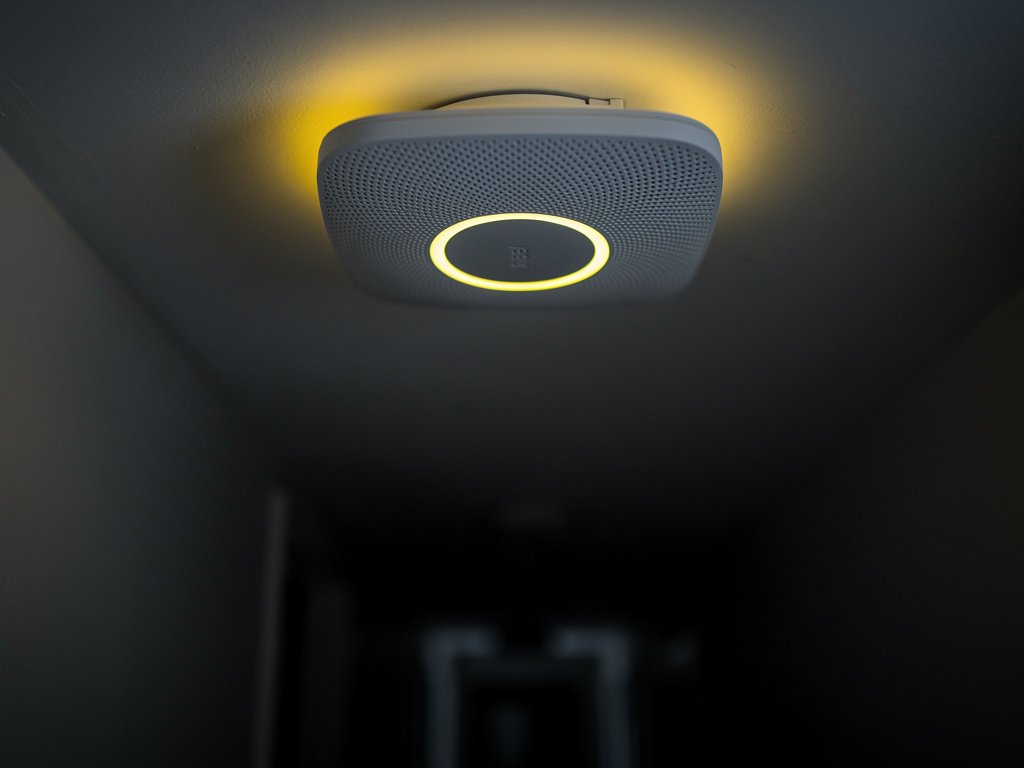
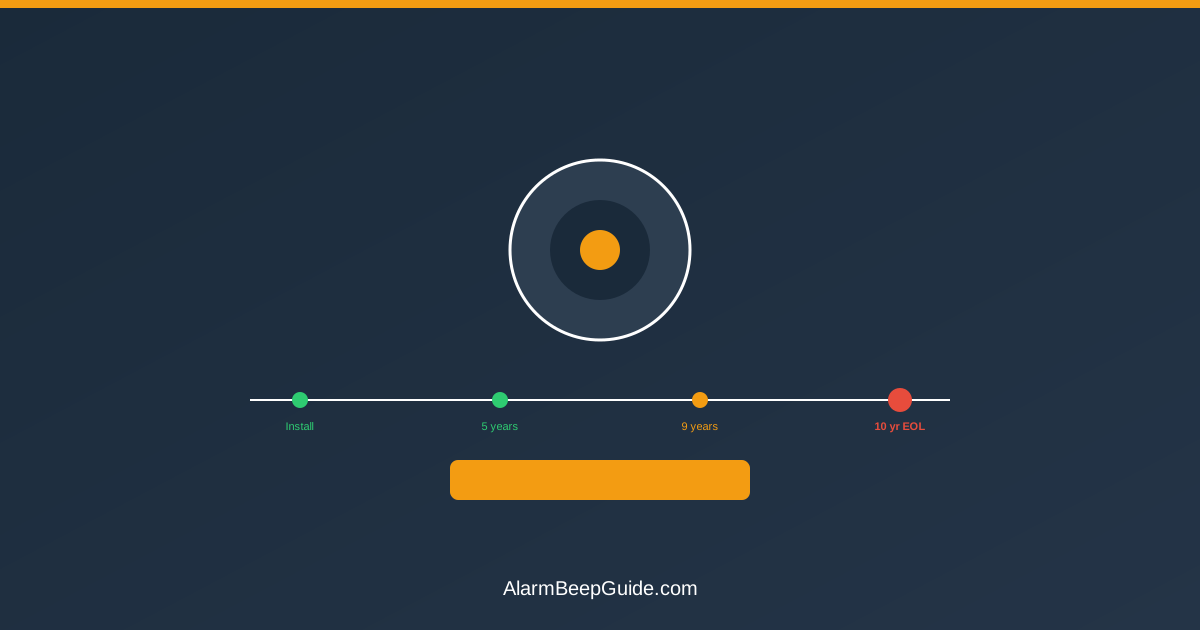
Nest Protect (2nd generation) is certified for 10 years from the date of manufacture. After 10 years, the carbon monoxide sensor inside degrades and can no longer reliably detect CO. This isn’t a Google policy — it’s a certification requirement. Every CO detector on the market, from every manufacturer, has the same 10-year limit per UL and NFPA standards.
The smoke sensor itself might still work after 10 years, but the CO sensor won’t — and because Nest Protect is a combination smoke and CO detector, the entire unit must be replaced when either sensor reaches end of life.
When the 10-year mark approaches, Nest Protect starts warning you. The warnings escalate in stages so you have time to plan a replacement before the device starts chirping at you.
How to Check Your Nest Protect Expiration Date
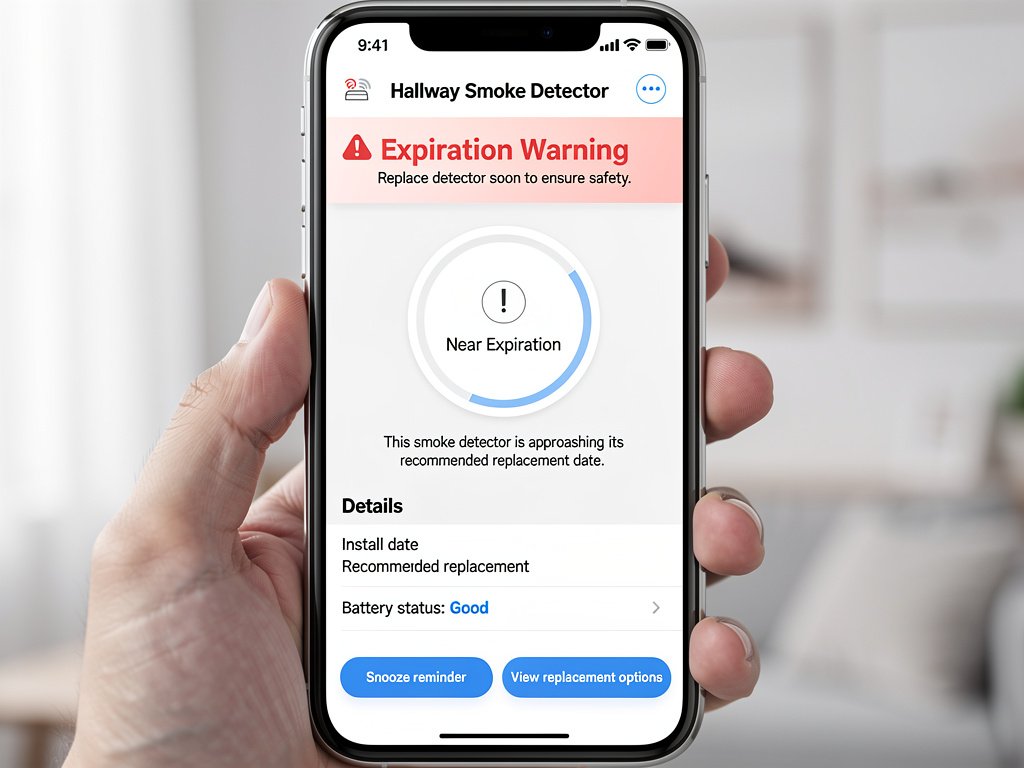
There are three ways to find out when your Nest Protect expires. You should check all your units — if you have multiple Nest Protects, they may have different expiration dates depending on when each was manufactured.
Method 1: Check the Nest or Google Home App
This is the easiest method. Open the Nest app (or Google Home app, if you’ve migrated your Nest account) on your phone:
- Navigate to your Nest Protect device
- Tap on the device to see its details
- Look for the “Expiration” or “Replace by” date in the device info section
The app will also show a warning when expiration is approaching — typically within 6 months of the expiration date. You may receive a push notification and an email as well.
Method 2: Watch for the Nightly Promise
Nest Protect has a feature called “Nightly Promise.” When you turn off the lights at night, the Nest Protect gives a brief glow to confirm it’s working:
- Green glow: Everything is fine. The detector is working normally.
- Yellow glow: Heads-up. The detector will expire soon (within 6 months). Press the Nest button and it will speak: “Heads-up. Nest Protect will expire in the [room name]. Replace Nest Protect soon.”
- Red glow: Urgent. The detector has expired or is about to expire very soon. The detector will also speak the warning.
The Nightly Promise is designed to give you a heads-up before the chirping starts. If you notice the yellow glow, order a replacement that week.
Method 3: Read the Physical Label
Take the Nest Protect off its mounting plate (twist counterclockwise). On the back, you’ll find a printed label with:
- The manufacture date (not the expiration date — you add 10 years)
- The serial number
- Safety certifications
Add 10 years to the manufacture date to get the expiration date. For example, if the label says “Manufactured: March 2018,” the expiration date is March 2028.
This method is the most reliable because it doesn’t depend on the app being connected or the Nightly Promise being enabled. It’s also the only way to check the expiration date of a Nest Protect before you install it — which is important if you’re buying from a third-party seller after the discontinuation.
What Happens When Nest Protect Expires
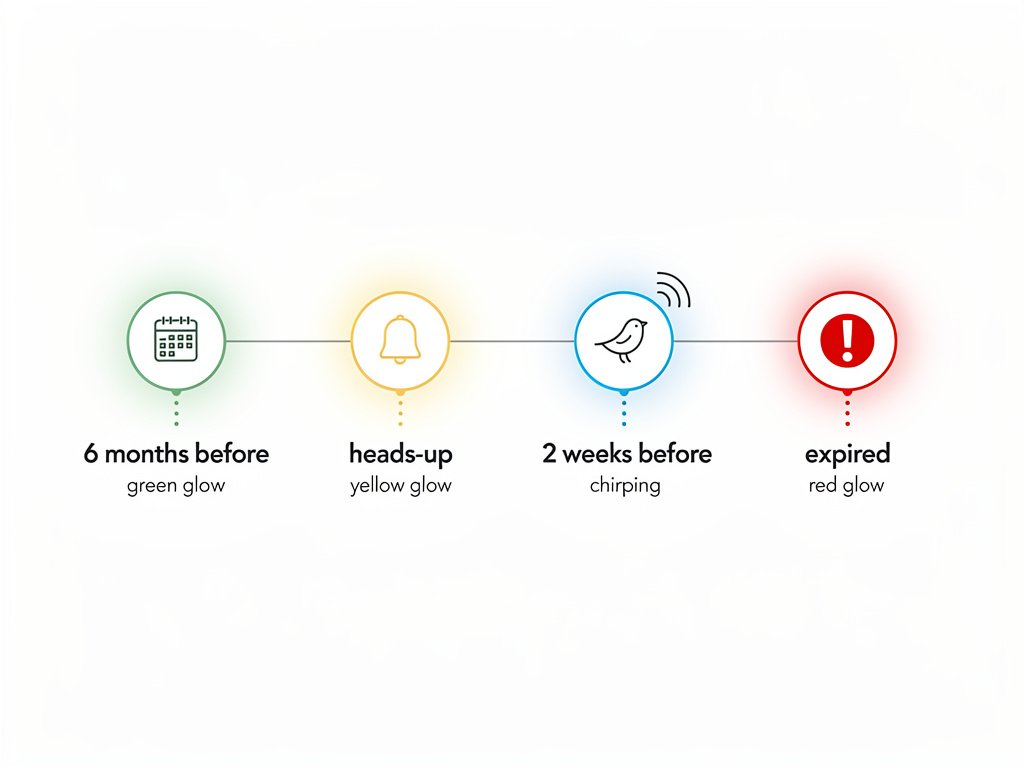
Nest Protect doesn’t just stop working one day. It follows a staged warning system:
Stage 1 — 6 months before expiration:
- The Nightly Promise glow turns yellow
- The Nest app shows a warning
- You may receive an email notification
- The detector still functions normally
Stage 2 — 2 weeks before expiration:
- The detector starts chirping once per minute (similar to a low battery chirp)
- The Nest app sends an urgent notification
- The detector speaks the warning when you press the button
Stage 3 — At expiration:
- The chirping continues until the battery dies or the unit is removed
- The detector may still function for smoke detection, but the CO sensor is no longer certified
- The detector cannot be silenced or reset — the only fix is replacement
Stage 4 — After expiration (if not replaced):
- The detector continues to chirp every minute until the batteries die
- If connected to Wi-Fi, the Nest app will continue to show expiration alerts
- Interconnected Nest Protects will not propagate the expiration chirp to other units (the chirp is local to the expired unit only)
- The smoke sensor may continue to function, but the device should not be relied upon for safety
The staged approach gives you months of advance warning. If you respond when you first see the yellow Nightly Promise glow, you’ll have plenty of time to order a replacement and install it before the chirping starts. The problem is that most people don’t notice the yellow glow or don’t know what it means — and the first sign they notice is the 2 a.m. chirp.
The Nightly Promise Feature Explained
The Nightly Promise is one of Nest Protect’s most useful features. When you turn off the lights for the night, the detector gives a brief glow:
- Green: All systems normal. Battery is good, sensors are working, Wi-Fi is connected.
- Yellow: Something needs attention. Could be a low battery, an upcoming expiration, or a sensor issue. Press the button to hear what’s wrong.
- No glow: The detector has no power — either the batteries are dead or the unit is disconnected.
The Nightly Promise only works when the room is dark enough for the light sensor to detect that lights have been turned off. If your Nest Protect is in a hallway with always-on night lights, you may not see the Nightly Promise.
What to Do Before Your Protect Expires
Don’t wait until the chirping starts. Here’s the recommended timeline:
6 months before expiration: Order a replacement. This gives you time to choose the right model and install it without urgency. See our Nest Protect discontinued replacement guide for the best options.
1 month before expiration: Install the new detector. Keep the old Nest Protect active until the new one is installed and tested.
At expiration: Remove the old Nest Protect and dispose of it properly. Remove it from the Nest app first (Settings > Remove device).
Can You Extend the Life?
No. The 10-year limit is a safety certification, not a battery issue. The CO sensor inside the Nest Protect uses an electrochemical cell that degrades over time. After 10 years, the sensor can no longer reliably detect carbon monoxide — and there’s no way to replace just the sensor.
Some owners have tried opening the unit to replace the battery, thinking the “expired” status is just a battery issue. This is dangerous and voids the safety certification. Even if the smoke sensor still works, the CO sensor does not — and you won’t know if CO is present without a working CO sensor.
If you’re tempted to keep using an expired Nest Protect because “it still works,” consider this: a smoke detector that works but has a dead CO sensor gives you a false sense of security. You think you’re protected from carbon monoxide, but you’re not. Replace it.
Best Replacement Options
The full Nest Protect replacement guide covers all the options in detail. The short version:
- First Alert SC5: Google’s recommended replacement. Works with Google Home, uses six replaceable CR123A lithium batteries (3–5 year life per First Alert), and supports voice alerts. See our First Alert SC5 vs Nest Protect guide for a full breakdown.
- X-Sense smart detectors: More affordable, good smart features, but less Google Home integration.
- Any UL-listed smoke/CO detector: If you don’t need smart features, a basic $20-40 detector from First Alert or Kidde meets all safety requirements. See our smoke detector replacement cost guide for pricing.
Six CR123A batteries, voice alerts, wireless interconnect up to 18 units, and Google Home integration — the direct successor that interoperates with your existing Nest Protects.
Check price on Amazon Price & availability shown on Amazon.com — we may earn a commission.For more on smoke detector lifespans in general, see our guide on how long smoke detectors last and the smoke alarm end-of-life beep guide.
FAQ
Does Nest Protect expire 10 years from the manufacture date or the install date? From the manufacture date. This is stated clearly in Google’s support documentation. If you buy a unit that was manufactured two years ago, you only have 8 years of life remaining.
What does a Nest Protect sound like when it expires? It chirps once per minute, similar to a low battery chirp. It will also speak: “Heads-up. Nest Protect has expired. Replace Nest Protect.” The app will show an expiration notification.
Can I just replace the battery to extend the life? No. The expiration is about the CO sensor, not the battery. Even with fresh batteries, the CO sensor degrades after 10 years and cannot reliably detect carbon monoxide. The entire unit must be replaced.
Is it safe to use an expired Nest Protect for smoke detection only? No. Even though the smoke sensor might still work, the device is no longer certified as a CO detector. If your home has any fuel-burning appliances, a gas furnace, a gas stove, or an attached garage, you need a working CO detector. An expired Nest Protect gives you a false sense of protection.
How do I dispose of an expired Nest Protect? Nest Protect contains a small amount of radioactive material (americium-241) in the ionization smoke sensor, so it should not be thrown in regular trash. Check with your local waste management facility for electronic waste disposal. Some retailers (Best Buy, Home Depot) have e-waste recycling programs that accept smoke detectors.
Can I check the expiration date before buying a Nest Protect? You can check by looking at the physical label on the back, but only if the seller allows you to open the box. The serial number on the outside of some boxes can also be used to look up the manufacture date on Google’s support site — though this varies by packaging. Since Nest Protect has been discontinued, any unit you find for sale has likely been sitting in a warehouse for at least a year, reducing its remaining lifespan. We generally don’t recommend buying Nest Protect units in 2026 — see our replacement guide for better options.
What if I have multiple Nest Protects with different expiration dates? This is common — most people bought their Nest Protects in batches, but the manufacture dates can vary by several months. Check each unit individually in the app or on the back label. Replace each one as it approaches expiration. When replacing, consider replacing all of them at once with the same model for consistency and easier maintenance tracking.
My Nest Protect says it’s expired but still works when I test it — can I keep using it? No. The test button confirms that the alarm horn, battery, and basic circuitry are functional — but it doesn’t test the CO sensor’s ability to detect carbon monoxide. The CO sensor degrades gradually and can’t be tested by pressing the test button. If the unit says it’s expired, trust the warning and replace it. See our nest protect chirping guide if the unit is chirping but you’re not sure why.
Don’t Wait for the Chirp
The most important thing you can do right now: check your Nest Protect’s expiration date. Open the app, look at the expiration, and set a calendar reminder. If it’s within 6 months, order a replacement today. You’ll avoid the 2 a.m. chirp and have time to install the new unit properly.
An expired smoke detector is worse than no smoke detector — because you think you’re protected when you’re not. Replace it before it expires, not after.