NOAA weather radios can alert you at night for nearby warnings or stay quiet for local alerts depending on your setup. Here is how to configure yours so you get warnings that matter without alert fatigue.
Why Your Weather Radio Setup Matters
The Problem: Out-of-the-box, many NOAA weather radios alert for all warnings in all counties your local transmitter covers—sometimes 20+ counties and hundreds of miles away.
The Result: You may get alerts for distant warnings, then turn alerts off and miss local ones.
The Solution: Proper SAME code setup and alert customization. It takes 15 minutes and helps you stay informed.
What SAME Codes Are (And Why You Need Them)
SAME = Specific Area Message Encoding
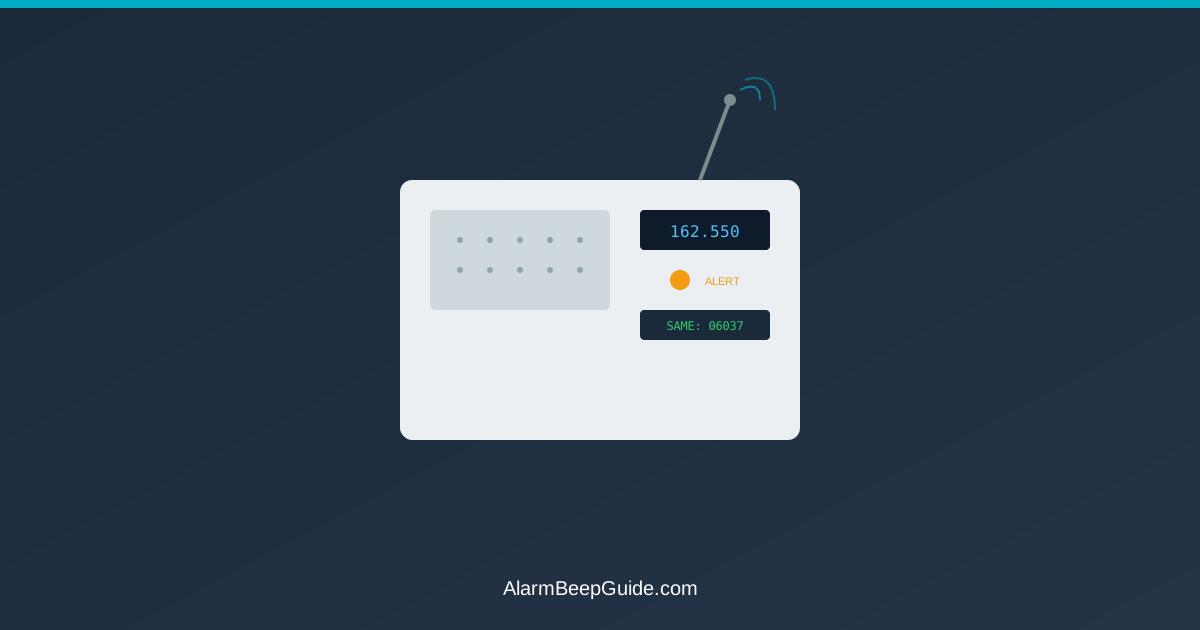
SAME codes are 6-digit numbers that identify specific counties. Programming these codes tells your radio to ONLY alert for warnings in those specific areas.
Example:
- Your county: 048201
- Neighboring county: 048203
- County 100 miles away: 048301
Smart Setup: Program 048201 and maybe 048203. Skip 048301.
Result: Alerts for your area only, not the entire region.
How to Find Your SAME Code
Method 1: NWS Website
- Go to nws.noaa.gov/nwr/coverage/county_coverage.html
- Select your state
- Find your county
- Write down the 6-digit SAME code
Method 2: Radio’s Reference Guide Most weather radios include a county code list in the manual or reference card.
Method 3: Ask Your Radio Some models can auto-detect location and suggest SAME codes.
Programming SAME Codes: Step-by-Step
General Process (varies by model):
Enter Programming Mode
- Press and hold “MENU” or “COUNTY” button
- Look for “SAME” or “COUNTY CODE” on display
Enter Your County Code
- Use number pad to enter 6-digit code
- Press “ENTER” or “SELECT”
Add Additional Counties (optional)
- Most radios allow 1-25 county codes
- Add neighboring counties if you work/travel there
- Fewer is better—avoid alert fatigue
Save and Exit
- Press “MENU” again or “DONE”
- Radio should confirm codes saved
Pro Tip: Start with ONLY your home county. Add more later if needed. Too many codes = too many alerts = you’ll turn it off.
Selecting Which Alert Types to Receive
NOAA broadcasts dozens of alert types. You don’t need all of them.
Core Alerts (Always Enable):
- Tornado Warning: Tornado spotted or radar indicated
- Severe Thunderstorm Warning: Damaging winds, large hail
- Flash Flood Warning: significant flooding
- Extreme Wind Warning: Winds 115+ mph
- Dust Storm Warning: very low visibility (desert areas)
Important Alerts (Enable If Relevant):
- Flood Warning: River/stream flooding (not flash)
- Winter Storm Warning: Heavy snow, ice
- Ice Storm Warning: Significant ice accumulation
- Hurricane Warning: Hurricane conditions expected
- High Wind Warning: Non-thunderstorm winds 58+ mph
Optional Alerts (Consider Disabling at Night):
- Severe Thunderstorm Watch: Conditions favorable (not imminent)
- Tornado Watch: Conditions favorable (not imminent)
- Flood Watch: Possible flooding (not happening)
- Winter Weather Advisory: Minor snow/ice
Usually Disable (Unless Specifically Needed):
- Special Weather Statement: General information
- River Flood Statement: Ongoing river levels
- Wind Advisory: Winds 45-57 mph
- Heat Advisory: Hot temperatures
Alert Tone Settings: Getting Them Right
Alert Tone Volume:
- Set loud enough to wake you from deep sleep
- Test by simulating nighttime conditions
- 85+ decibels recommended for bedroom units
Voice Volume:
- Can be lower than alert tone
- Ensure you can hear details from across the room
Alert Tone Type: Some radios offer different tones:
- 1050 Hz warble: Standard, most attention-grabbing
- Voice only: Quieter, less jarring
- Custom tones: Some newer models offer choices
Recommendation: Use the standard alert tone for core warnings so alerts are clearly audible.
Daytime vs. Nighttime Settings (If Available)
Advanced Radios offer time-based programming:
Nighttime Settings (11 PM - 6 AM):
- Warnings only (not watches)
- Critical events only (tornado, flash flood, extreme wind)
- Loudest volume
Daytime Settings (6 AM - 11 PM):
- Warnings and watches
- More alert types enabled
- Moderate volume (you’re likely awake)
Why It Works: You still receive key warnings 24/7 while reducing nuisance alerts when you’re sleeping.
Testing Your Weather Radio
Weekly Test: NOAA broadcasts test messages Wednesdays around 11 AM (local time varies).
What to Listen For:
- Radio should activate
- You should hear alert tone
- Voice message should clearly state “This is a test”
If It Doesn’t Activate:
- Check batteries (even if plugged in—battery backup)
- Verify SAME codes are programmed correctly
- Check that alert types are enabled
- Try different antenna position for better signal
- Confirm you’re in range of a NOAA transmitter
Manual Test: Most radios have a “TEST” button. Press it weekly to verify:
- Alert tone works
- Volume is adequate
- Speaker functions
- Display is readable
Fixing Common Setup Problems
Problem: Radio alerts for counties you don’t care about. Solution: Verify SAME codes. You may have entered wrong code or enabled too many counties.
Problem: Radio never alerts, even during warnings. Solution:
- Confirm you’re in NOAA coverage area (check nws.noaa.gov/nwr)
- Adjust antenna position
- Ensure alert types are enabled (not all set to “off”)
- Check that SAME mode is turned ON
Problem: Radio alerts multiple times for same warning. Solution: Normal. NOAA rebroadcasts warnings every few minutes. Some radios can silence repeated alerts—check settings for “SAME alert memory” or similar.
Problem: Can’t hear voice clearly. Solution:
- Adjust voice volume separately from alert volume
- Reposition antenna for better reception
- Move radio away from electronic interference
- Consider external antenna if signal is weak
Placement: Where to Put Your Weather Radio
Bedroom (Primary Location):
- Within arm’s reach of bed
- Alert volume loud enough to wake you
- Backup battery always fresh
Avoid:
- Basements (weak signal)
- Inside closets or cabinets (muffled sound)
- Near other electronics that cause interference
- Bathrooms (humidity can damage electronics)
Multiple Radio Strategy:
- Bedroom: Full alerts, loud
- Living room/kitchen: Daytime settings
- Workshop/garage: Basic warnings only
Power and Battery Backup
Why Battery Backup Matters: Power outages can occur during storms. Battery backup keeps the radio working when power is out.
Battery Best Practices:
- Use alkaline batteries (last longer)
- Replace every 6 months, not “when it beeps”
- Test battery backup monthly (unplug and verify radio works)
- Write battery replacement date inside battery compartment
AC vs. Battery Priority: Keep it plugged in for primary power, but maintain fresh batteries for backup. Most radios auto-switch to battery during outages.
Understanding Alert Priorities
NOAA uses a 3-tier system:
Warning (Action Needed):
- Event is happening now or imminent
- Take protective action as advised by local guidance
- Radio should alert for these
Watch (Be Prepared):
- Conditions are favorable for severe weather
- Stay alert and be ready to act
- Can disable at night if you prefer
Advisory (Stay Informed):
- Weather impact expected but less severe
- Often safe to disable entirely
Setup Strategy: Enable all warnings, be selective with watches, skip most advisories.
False Alarm Fatigue: How to Avoid It
The Trap: Enable every alert type, get overwhelmed, turn radio off completely.
The Smart Approach:
- Start with only key warnings in your county
- Live with that setup for a month
- Add one or two types if you feel you’re missing important info
- Stop adding when you get your first “I didn’t need that” alert
Remember: False alarm fatigue can reduce attention. Better to get fewer alerts that you take seriously than constant alerts you ignore.
Special Considerations by Region
Tornado Alley (Great Plains, Midwest):
- Prioritize: Tornado warnings, severe thunderstorm warnings
- Consider: Tornado watches during peak season
- Skip: Most advisories
Coastal Areas:
- Prioritize: Hurricane warnings, storm surge warnings, tropical storm warnings
- Consider: High surf advisories if you live near beach
- Skip: Inland flood warnings if you’re on high ground
Mountain West:
- Prioritize: Flash flood warnings (canyons), dust storm warnings
- Consider: Winter storm warnings
- Skip: River flood warnings unless near major waterways
Hurricane-Prone Regions:
- Prioritize: Hurricane warnings, storm surge warnings
- Consider: Tropical storm warnings, evacuation notices
- Enable: Multiple counties if evacuation routes cross them
Advanced Features Worth Using
Voice Readout: Radio speaks county name and warning type before alert tone. Helps distinguish warnings from tests.
Alert Memory: Shows recent alerts you missed. Useful if you were away when warning activated.
Multilingual Alerts: Some radios offer Spanish warnings. Enable if household members prefer Spanish.
Smartphone Apps Integration: Some newer radios connect to apps for remote programming. Convenient, but maintain standalone operation as primary. For phone alerts, see Emergency Alert Sounds on Your Phone: What Each One Means.
The Bottom Line
Set up your NOAA weather radio with your county SAME code, enable important warnings only, and test it weekly. This 15-minute setup helps you get the alerts you need without nuisance notifications.
Too many alerts can lead to ignoring all alerts. Configure smartly: fewer alerts, all important, all taken seriously.
Check batteries every 6 months, test on Wednesdays, and trust your radio to alert you when it matters. Proper setup turns an annoying box that beeps randomly into helpful equipment that works when you need it.
FAQ
Should I enable all alert types on my weather radio?
Related Articles
- Emergency Alert System Phone Sounds — WEA alerts on your phone
- Smoke Detector Laws by State — state requirements for alarms