A smoke detector chirping every 30 seconds is signaling a specific type of trouble — different from the more common 60-second low-battery chirp. The 30-second interval usually indicates a sensor fault, end-of-life warning, or internal component issue. This guide decodes what the 30-second chirp pattern means and gives you the exact fix for each cause.
Why 30 Seconds Is Different from 60 Seconds
Smoke detector chirp intervals carry specific meaning. Manufacturers use different intervals to indicate different problems.
The 60-Second Chirp (Low Battery)
The most common chirp pattern. One short beep every 60 seconds indicates low battery voltage. The detector is asking for a battery change. This is the easiest chirp to fix — replace the battery and the chirp stops.
The 30-Second Chirp (Sensor or End-of-Life Trouble)
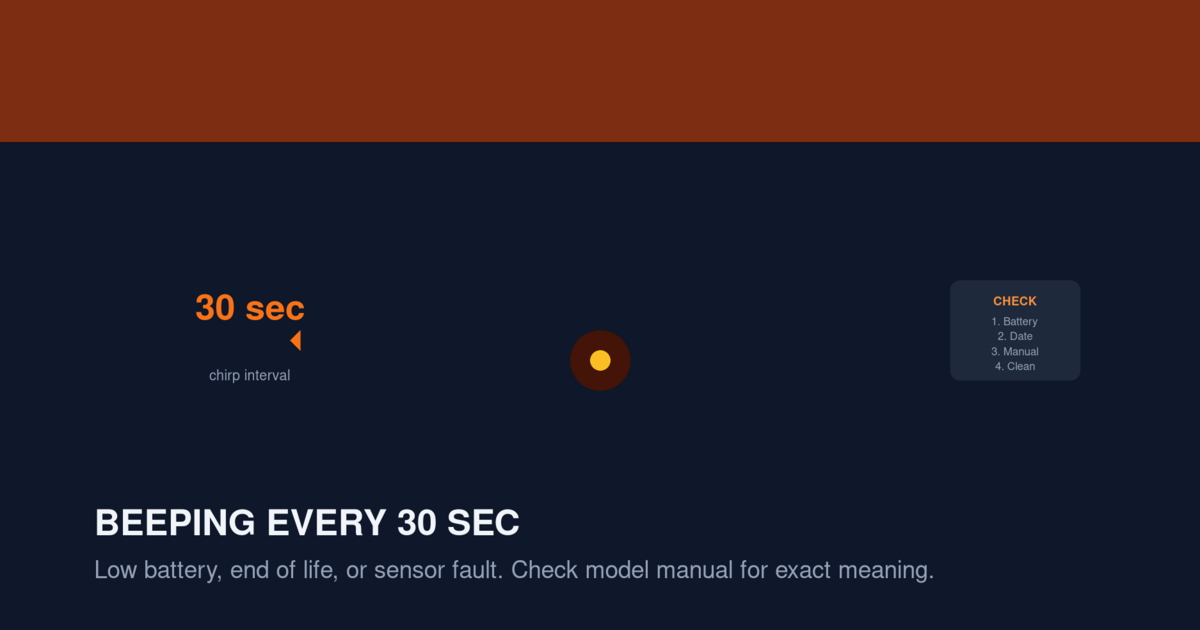
A more urgent chirp pattern. One short beep every 30 seconds indicates either the sensor is failing or the detector has reached its 10-year expiration. Replacing the battery does NOT stop this chirp because the issue is the sensor itself, not the battery.
Other Intervals
Some detectors use different intervals for different issues:
- 45 seconds: Less common, but often indicates a hybrid trouble (battery + sensor)
- 90 seconds: Indicates a hardwired interconnect issue
- 10 seconds: Often indicates a critical fault requiring immediate replacement
Knowing the interval tells you what kind of problem you’re dealing with.
Common Causes of 30-Second Chirping
Here are the five most common causes, ranked by frequency:
1. End of Life (Most Common)
A smoke detector has a 10-year lifespan from the date of manufacture. After 10 years, the sensor can no longer reliably detect smoke. The detector chirps every 30 seconds to signal that it must be replaced.
You can find the manufacture date on the back of the detector. If the date is more than 10 years ago, replace the detector.
For a full replacement timeline, see our How Often to Replace Smoke Detectors guide.
2. Sensor Fault
If the detector is under 10 years old but still chirping every 30 seconds, the sensor itself has failed. Common causes:
- Dust contamination inside the sensor chamber
- Insect infestation in the sensor
- Water damage (condensation, leaks, high humidity)
- Manufacturing defect
- Physical impact damage (dropping the detector)
Sensor faults are not repairable. The detector must be replaced.
3. Hardwired Detector with Low Backup Battery
In hardwired smoke detectors, the backup battery may trigger a 30-second chirp rather than the more common 60-second chirp on some models. The detector is still receiving AC power, but the backup battery has dropped below threshold.
Replace the backup battery and perform a hard reset.
4. Smart Detector Error Code
Smart detectors like the Nest Protect and First Alert SC5 use specific chirp patterns to indicate different errors. The 30-second chirp on a smart detector usually indicates a sensor fault or expired unit. Check the app for the specific error.
For Nest Protect-specific issues, see our Nest Protect Chirping guide.
5. Combination Smoke/CO Detector CO Sensor Expiration
Combination smoke/CO detectors have two sensors with different lifespans. The smoke sensor lasts 10 years, but the CO sensor often expires after 5-7 years. A 30-second chirp on a combination unit may indicate CO sensor expiration.
The CO sensor cannot be replaced separately. Replace the entire combination unit.
How to Diagnose the Exact Cause
Before fixing the chirp, identify the specific cause. Follow this diagnostic process:
Step 1: Check the Manufacture Date
Remove the detector from its mounting bracket and look at the back. The manufacture date is usually printed on a label. If the date is more than 10 years ago, the chirp is end-of-life. Replace the detector.
Step 2: Replace the Battery (If You Haven’t Already)
Even if you suspect end-of-life, replace the battery to rule out a low-battery issue. After replacing the battery, perform a hard reset:
- Press and hold the test button for 15-20 seconds
- Wait 5 seconds
- Press and release the test button briefly to verify
If the chirp stops, the issue was low battery. If the chirp continues, it’s end-of-life or sensor fault.
Step 3: Check for LED Patterns
Different manufacturers use LED flash patterns to indicate specific issues. Look at the LED during the chirp:
- Yellow flash with chirp: End of life or sensor fault
- Red flash with chirp: Battery or wiring issue
- Green flash with no chirp: Normal operation
- No flash with chirp: Internal fault, replace detector
Step 4: Check the App (Smart Detectors Only)
If you have a smart detector, check the app for the specific error code. Smart detectors tell you exactly why they’re chirping.
Step 5: Try Cleaning the Sensor
If the detector is under 10 years old and the chirp isn’t end-of-life, try cleaning the sensor:
- Remove the detector from the mounting bracket
- Use compressed air to blow dust out of the vents
- Use a soft, dry brush to remove any visible debris
- Do not open the detector’s case or touch the internal sensor
- Remount and test
If the chirp continues after cleaning, the sensor has failed. Replace the detector.
The Fix: Replace the Detector
For most 30-second chirps, the fix is replacing the detector. Here’s what to consider:
When to Replace Immediately
Replace the detector immediately if:
- The detector is past its 10-year expiration date
- The chirp continues after cleaning
- The detector fails the test button check
- The detector has visible physical damage
- The detector has been exposed to fire or extreme heat
What to Replace It With
Consider upgrading to:
- A 10-year sealed lithium detector (no battery changes for 10 years)
- A hardwired interconnected detector (better protection)
- A combination smoke/CO detector (two safety devices in one)
- A smart detector (app alerts and remote monitoring)
See our Best Battery Smoke Detectors for Bedrooms and Best Hardwired Smoke Detector Replacements guides for current top picks.
Cost
A basic replacement detector costs $10-25. A mid-range hardwired detector costs $25-50. A smart detector costs $80-150. The cost per year of protection is approximately $1-15 depending on the type.
The Fix: Replace the Battery (Sometimes)
If the detector is under 10 years old and the chirp is the only symptom, try replacing the battery first.
Battery Replacement Process
- Get a stepladder and a fresh lithium battery
- Twist the detector counterclockwise to remove it from the bracket
- Open the battery compartment
- Remove the old battery
- Install the new battery with correct polarity
- Press and hold the test button for 15-20 seconds to reset
- Mount the detector back on the bracket
- Test the detector
If the chirp continues after this procedure, replace the detector.
The Fix: Clean the Sensor (Sometimes)
If the detector is under 10 years old, the battery is fresh, and the chirp continues, try cleaning the sensor.
Cleaning Process
- Remove the detector from the mounting bracket
- Use compressed air to blow dust out of the vents
- Use a soft brush to clean the exterior
- Do not open the case or touch the internal sensor
- Remount and test
If the chirp continues after cleaning, the sensor has failed. Replace the detector.
What NOT to Do
Don’t make these common mistakes when dealing with a 30-second chirp:
Don’t Ignore the Chirp
A 30-second chirp is a warning that your smoke detector is not working properly. Don’t disable the detector or remove the battery without addressing the underlying issue. A non-functioning smoke detector puts your household at risk.
Don’t Assume It’s Just the Battery
Many people replace the battery and assume the problem is fixed. If the chirp continues, the issue is more serious than a battery. Continue troubleshooting or replace the detector.
Don’t Try to Repair the Internal Sensor
Smoke detector sensors are not user-repairable. Attempting to open the case or clean the internal sensor voids the warranty and may damage the detector permanently. The only safe repair is external cleaning and battery replacement.
Don’t Mix Detector Ages
If you’re replacing one detector, replace all detectors in the home at the same age. Mixing old and new detectors means some detectors will need replacement sooner than others, which is confusing.
Hardwired Detector Specifics
If you have a hardwired smoke detector that chirps every 30 seconds, the issue may be slightly different.
Backup Battery Issue
Hardwired detectors have a backup battery that takes over during power outages. If the backup battery is failing, the detector may chirp every 30 seconds instead of the more common 60-second pattern.
Replace the backup battery and perform a hard reset:
- Turn off the breaker for the smoke detector circuit
- Remove the detector from the bracket
- Disconnect the wiring harness
- Replace the backup battery
- Press and hold the test button for 15-20 seconds
- Reconnect the wiring harness
- Mount the detector
- Restore power
Wiring Issue
A loose or damaged wire can cause a 30-second chirp pattern. Check the wiring harness at the mounting bracket. If the wires are loose, tighten them. If the harness is damaged, replace it.
Interconnected System Issue
If you have interconnected hardwired detectors, a problem with one detector can cause the others to chirp. Identify which detector is the source by looking at the LED patterns. The detector with a flashing yellow or red LED is the source. Address that detector specifically.
Smart Detector Specifics
Smart smoke detectors like the Nest Protect and First Alert SC5 use specific chirp patterns that correspond to app notifications.
Nest Protect 30-Second Chirp
On the Nest Protect, a 30-second chirp with a yellow LED flash indicates “Sensor problem.” The app will show a specific notification. Common causes:
- Smoke sensor contamination
- CO sensor contamination
- Steam exposure
- Insect in the sensor chamber
- Sensor aging
The fix is to clean the sensor or replace the unit. See our Nest Protect Chirping guide for brand-specific troubleshooting.
First Alert SC5 30-Second Chirp
On the First Alert SC5, a 30-second chirp with a yellow LED indicates “Sensor problem.” The Google Home app will show the specific issue. The fix is to clean the sensor or replace the unit.
For more on smart detectors, see our Nest Protect Discontinued Replacement Guide.
When the 30-Second Chirp Stops on Its Own
In rare cases, a 30-second chirp may stop on its own after a few hours. This can happen if:
- The sensor was temporarily contaminated (dust, steam) and cleared itself
- The temperature changed and the battery voltage recovered
- A power surge reset the detector
If the chirp stops on its own, monitor the detector closely. Test it daily for a week. If the chirp returns, address the underlying issue. If the chirp doesn’t return, the detector may be functioning normally, but you should still plan to replace it within a few months.
FAQ
Why does my smoke detector chirp every 30 seconds but not stop when I replace the battery?
A 30-second chirp usually indicates end of life or sensor fault, not a battery issue. Replacing the battery won’t fix it. The detector needs to be replaced.
How do I know if it’s a 30-second chirp or something else?
Time the interval between chirps. Use your phone’s stopwatch to count. If it’s exactly 30 seconds between chirps, this is the 30-second pattern. If it’s 60 seconds, it’s a low-battery chirp.
Can a smoke detector chirp at exactly 30 seconds for a different reason?
In rare cases, yes. Some smart detectors use 30-second intervals for Wi-Fi disconnection alerts. Check the app if you have a smart detector.
What happens if I just ignore the 30-second chirp?
The chirp will continue for weeks or months until the battery dies. Meanwhile, your smoke detector may not detect smoke or CO. You’re gambling that no fire or CO event will occur during this time.
Should I replace the battery even if the chirp pattern suggests end of life?
Yes. Try replacing the battery first to rule out a low-battery issue. If the chirp continues, replace the detector.
Can dust cause a 30-second chirp?
Yes. Dust contamination in the sensor chamber can cause a 30-second sensor fault chirp. Try cleaning the detector. If the chirp continues, replace the detector.
How long does a smoke detector last?
Most smoke detectors last 10 years from the date of manufacture. After 10 years, the sensor degrades and the detector must be replaced.
What if my smoke detector is 5 years old and chirping every 30 seconds?
A 5-year-old detector should not be chirping from end of life. The issue is likely a sensor fault. Try cleaning the sensor. If the chirp continues, replace the detector.
Can a power surge cause a 30-second chirp?
Yes. Power surges can damage the detector’s internal circuitry and cause sensor faults. If you had a recent power surge and the chirp started afterward, the detector may need replacement.
Is a 30-second chirp dangerous?
The chirp itself is not dangerous — it’s a warning that your detector is not working properly. The danger is that your smoke detector may not detect an actual fire or CO event. Address the chirp as soon as possible.
Related Articles
- How Often to Replace Smoke Detectors — replacement timeline
- Smoke Detector Low Battery Chirp Won’t Stop — for 60-second chirps
- Smoke Detector Chirping at Night — for time-specific chirps
- Nest Protect Chirping — for smart detectors
- Smoke Detector End-of-Life Chirp — for end-of-life chirps