Always read the manual for your exact model before performing any reset. Reset steps, hold times, and chirp meanings vary by manufacturer, model, and production year. The guidance below is based on NFPA recommendations and manufacturer support documentation, but your alarm may differ.
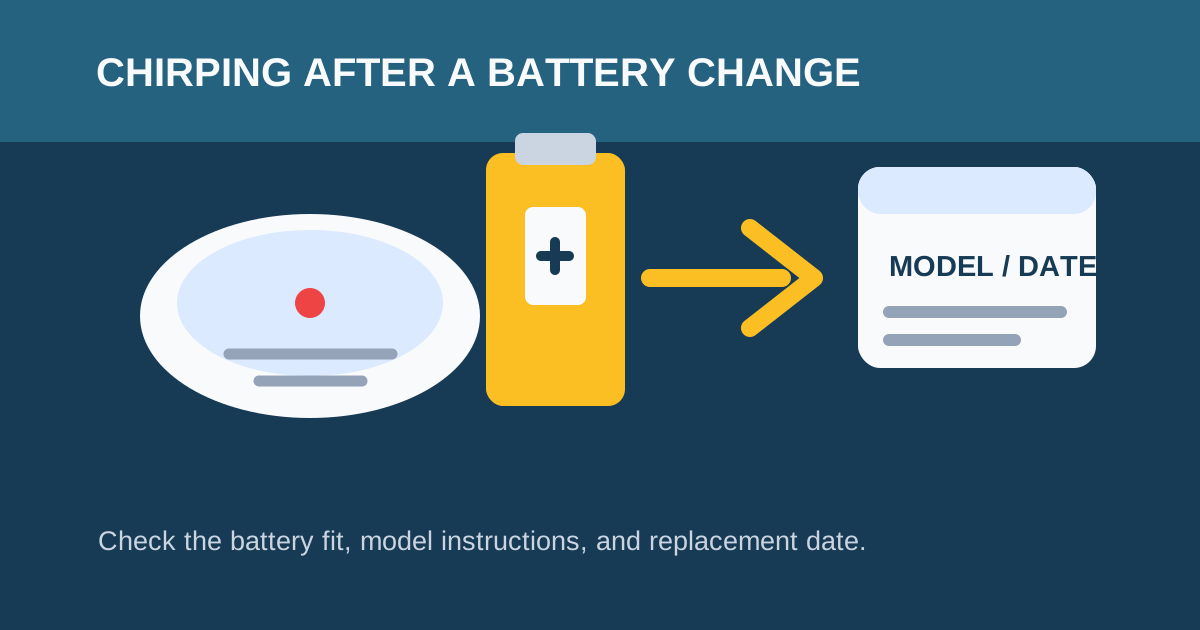
A short chirp after a battery change is not proof that the alarm is safe, broken, or using the wrong reset sequence. It can be caused by a battery that is not seated correctly, a compartment that is not fully closed, a model-specific trouble state, an end-of-life warning, or an environmental or wiring issue.
First distinguish a short maintenance chirp from a loud repeating alarm. A continued set of three loud beeps can mean smoke or fire; the National Fire Protection Association says to get out, call 911, and stay out. If the device is a combination smoke/CO alarm or the signal is unfamiliar and loud, leave first. Do not stay inside to troubleshoot a possible smoke or CO event.
Safe checks for a short chirp after a battery change
Only use these steps after you have confirmed the unit is making a short maintenance chirp rather than an active alarm.
- Identify the exact unit. In a home with several alarms, listen at each device. If the sound is hard to locate, use How to Find Which Smoke Detector Is Beeping.
- Read the label. Record the manufacturer, model, specified battery type, manufacture date, and stated replacement date. A sealed-battery model does not have a user-replaceable battery.
- Check the battery installation. Use a fresh battery of the specified type, match the polarity, ensure it snaps into place, and close the compartment completely. Kidde lists a loose or improperly installed battery and a door that is not fully closed as possible chirp causes.
- Use the exact model manual for any reset. Some manufacturers publish a procedure to clear a retained weak-battery or error condition after power is removed; the steps differ by model and power source. Do not borrow a hardwired procedure for a battery-only alarm or vice versa.
- Check the date before repeating resets. The NFPA says smoke alarms should be replaced after 10 years. Follow any earlier replacement date on the product. A new battery cannot restore an expired sensor.
- Consider the surroundings. Humidity, steam, condensation, temperature shifts, airflow, dust, and insects can contribute to trouble signals. Clean or relocate an alarm only as its manufacturer permits.
Manufacturer reset procedures at a glance
Different manufacturers describe different reset steps. The table below summarizes general approaches from official support documentation — always confirm against your model’s manual for the exact hold time and procedure:
| Manufacturer | General reset approach | Key details |
|---|---|---|
| Kidde | Remove power and battery, hold test button, wait, reinstall | Kidde documents that a processor can retain a weak-battery condition. Hold time varies by model — check the manual. Battery drawer must be fully closed. |
| First Alert | Remove battery, press and hold test/silence button, reinstall | First Alert notes that chirping with a new battery can relate to a silence control, residual charge, or installation. Specific hold time varies by model. |
| Other brands | Varies | Do not assume the same procedure works across brands or even across models from the same manufacturer. Read the label and look up the manual. |
Why the chirp may continue with a new battery
First Alert notes that a chirp with a new battery can be related to a silence control, residual charge, battery installation, or an expired alarm. Kidde also documents that a processor can retain a weak-battery condition and publishes different reset instructions for AC alarms with battery backup and DC-only alarms. Those examples are reasons to consult the exact product instructions—not a reason to assume every alarm has the same cause or reset method.
Common reasons a chirp persists after a fresh battery:
- Improperly seated battery. Even the correct battery type will not maintain contact if it is loose or tilted. Remove and reinsert it, pressing firmly until it clicks.
- Battery drawer not fully latched. Kidde specifically lists an incompletely closed battery drawer as a chirp cause. Some models have a switch that must close when the drawer shuts.
- Retained error memory. Some alarms store a trouble condition in memory. The model-specific reset procedure clears this. Without the reset, the alarm may chirp even with a new battery installed.
- Wrong battery type. Using a battery that produces slightly different voltage (for example, a rechargeable instead of a standard alkaline or lithium) can trigger a chirp. Use only the type specified on the alarm label.
- End of life. If the alarm is at or past its stated replacement date, no battery or reset will fix the chirp. Replace the alarm.
If the unit is hardwired, do not handle damaged wiring, a melted connector, or a repeatedly tripping breaker. Use Hardwired Smoke Alarm Chirping: Safe Troubleshooting and contact a qualified electrician when the problem is electrical.
Sealed 10-year battery alarms
Sealed-battery alarms do not have a user-replaceable battery. If a sealed unit chirps, the cause is typically end of life or a malfunction — not a battery you can swap. Check the manufacture date on the back. If the alarm is within its expected lifespan and still chirps, clean the sensor per the manual and test the unit. If the chirp continues, the alarm must be replaced as a whole unit. See 10-Year Sealed Battery Smoke Detector Chirping for details.
Hardwired alarms with battery backup
Hardwired alarms use household power as the primary source and a battery as backup. After replacing the backup battery, a hardwired alarm may need the breaker turned off and the wiring harness disconnected to fully clear a retained fault. The procedure is different from a battery-only alarm and requires the model’s manual. Never work on live wiring. For brand-specific steps, see:
- Kidde Hardwired Smoke Alarm Beeping
- First Alert Hardwired Smoke Detector Chirping
- General Hardwired Troubleshooting
If the chirping will not stop
A continuing chirp after a correctly installed battery and the manufacturer-approved procedure may be an end-of-life or fault signal. Do not remove the battery, tape over the speaker, or leave the unit disabled. Replace an alarm that has reached its stated replacement age or whose manual identifies the signal as a non-serviceable fault. If it is within warranty, contact the manufacturer with the model and date code.
Sources
- National Fire Protection Association: Learn More About Smoke Alarms
- Kidde: What Causes Intermittent Beeping or Chirping?
- First Alert: Alarm Chirps with New Battery
FAQ
Why does my smoke alarm chirp after I put in a new battery?
Check the battery type, polarity, contacts, and compartment first. Then use the reset instructions for the exact model and check its replacement date. A continuing chirp can be a fault or end-of-life signal, not simply a battery issue.
Should I hold the test button after replacing the battery?
Only if your product manual directs you to. Reset steps differ between manufacturers and between hardwired and battery-only alarms. Holding the test button with the battery removed can drain residual charge and clear a retained error condition, but the exact procedure and duration vary by model.
Can I remove the battery until I buy a replacement alarm?
No. Do not leave a smoke alarm disabled. Replace the alarm promptly or contact the property manager, manufacturer, or a qualified professional for appropriate help.
My alarm is hardwired and still chirps after a new backup battery. What now?
Hardwired alarms may need the breaker turned off and the wiring harness disconnected to fully clear a retained fault. Check your model’s manual for the exact procedure. If the chirp persists, the alarm may be at end of life or the wiring may have a fault. Contact a qualified electrician for wiring issues.
What if I installed the battery correctly but the drawer won’t close?
Some alarms have a battery drawer switch that prevents the alarm from operating if the drawer is open. If the drawer will not close, the battery may be the wrong size or installed backward. Remove and reinsert it carefully. If the drawer still will not close, the alarm may need replacement.